BUSINESS PROBLEMS
Low findability due to exact match search and weak suggestions
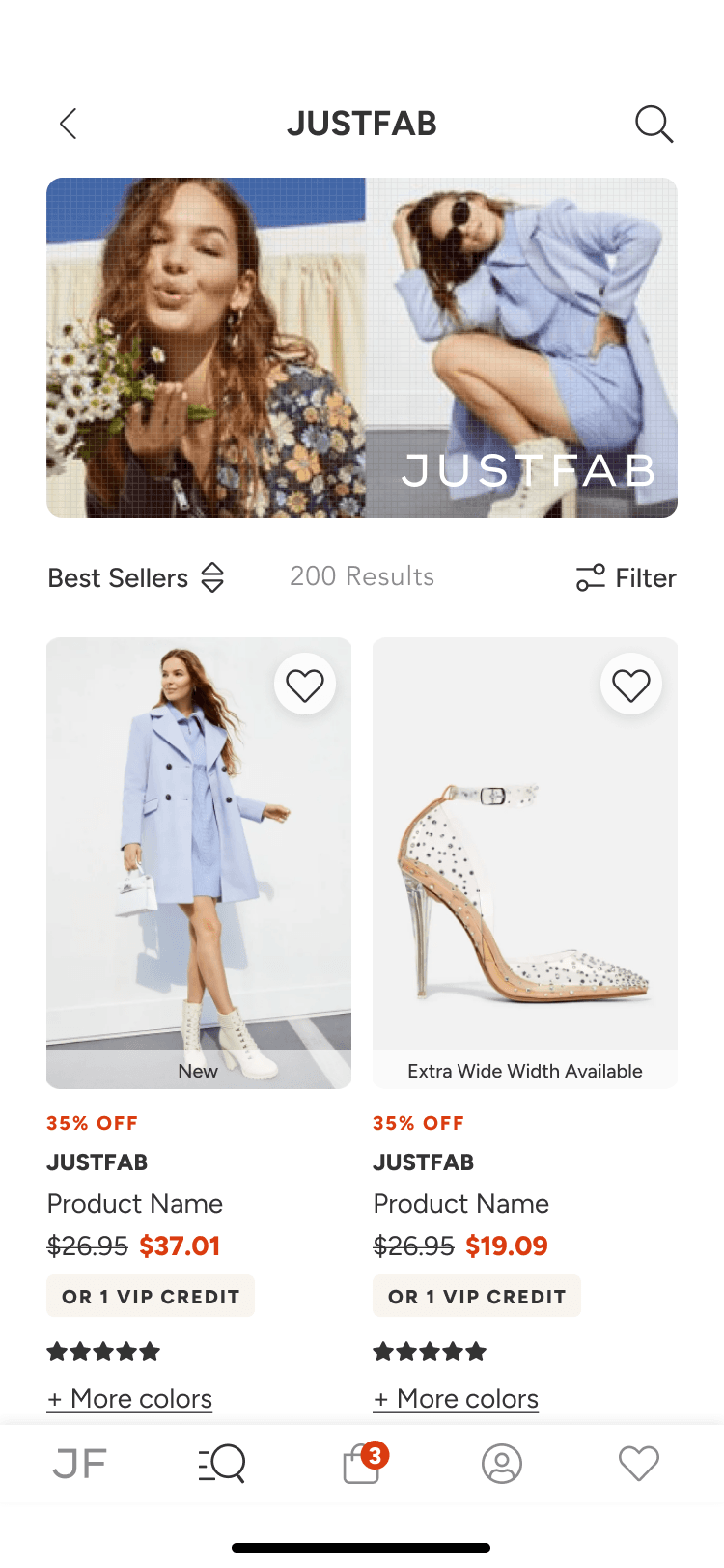
Limited merchandising value from lack of visual discovery and personalization
PRODUCT OPPORTUNITY
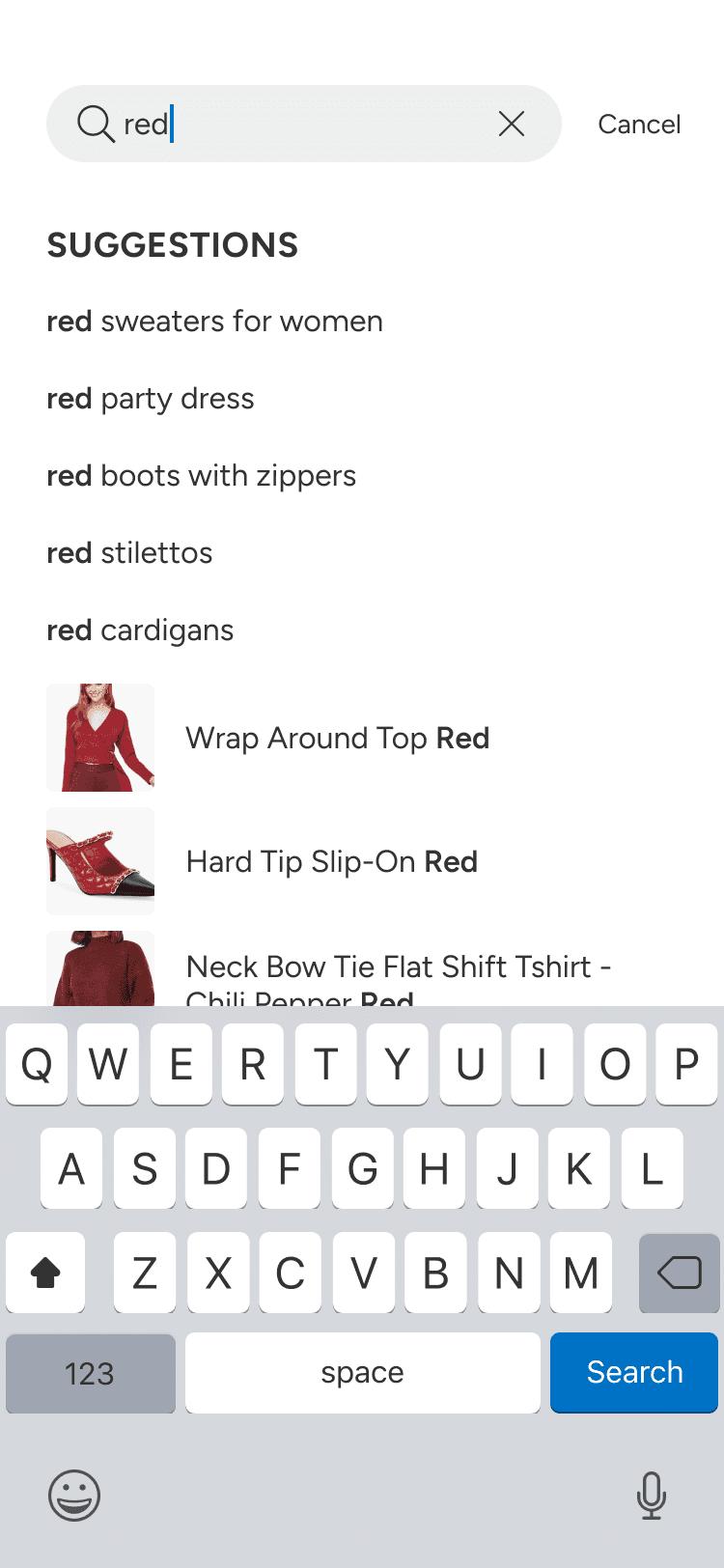
Improve search intelligence with typo tolerance and smarter suggestions
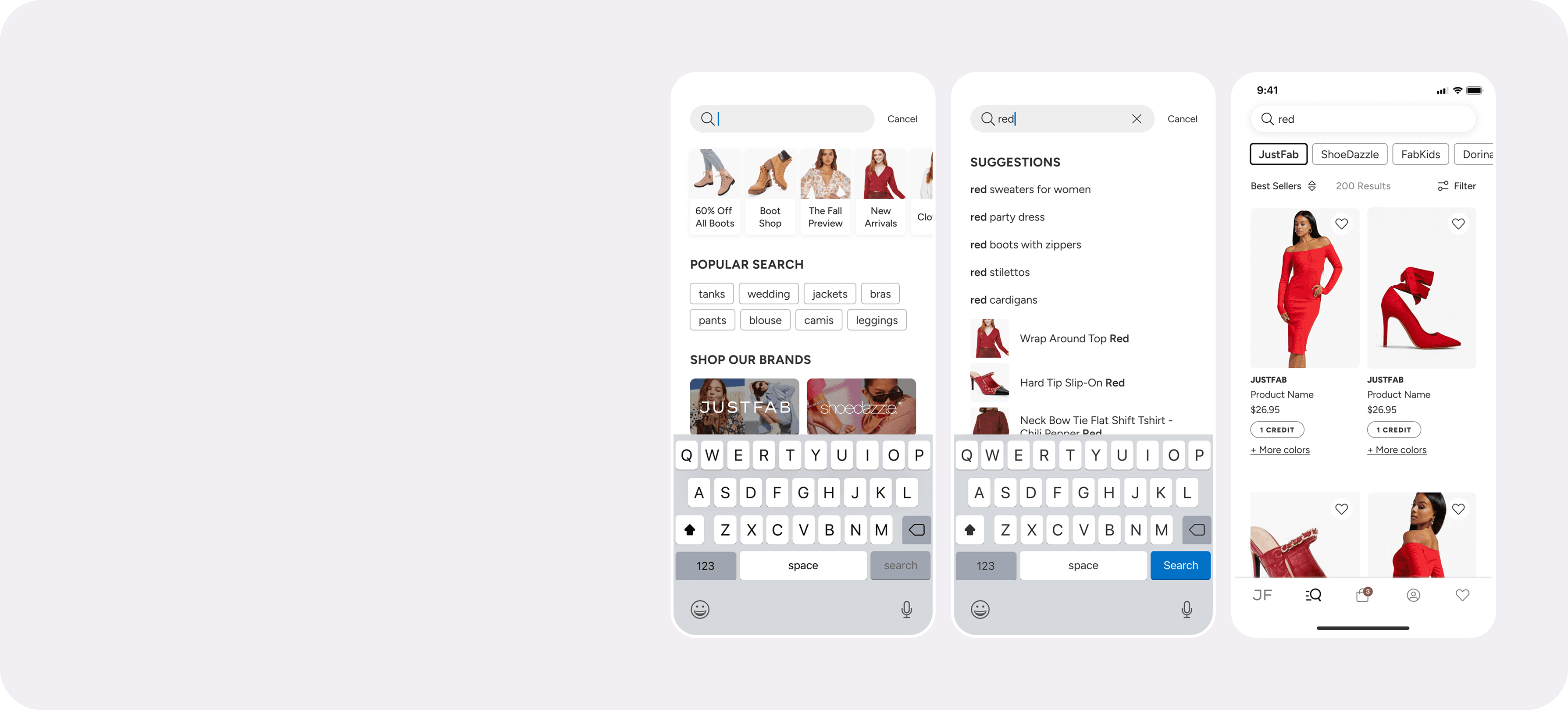
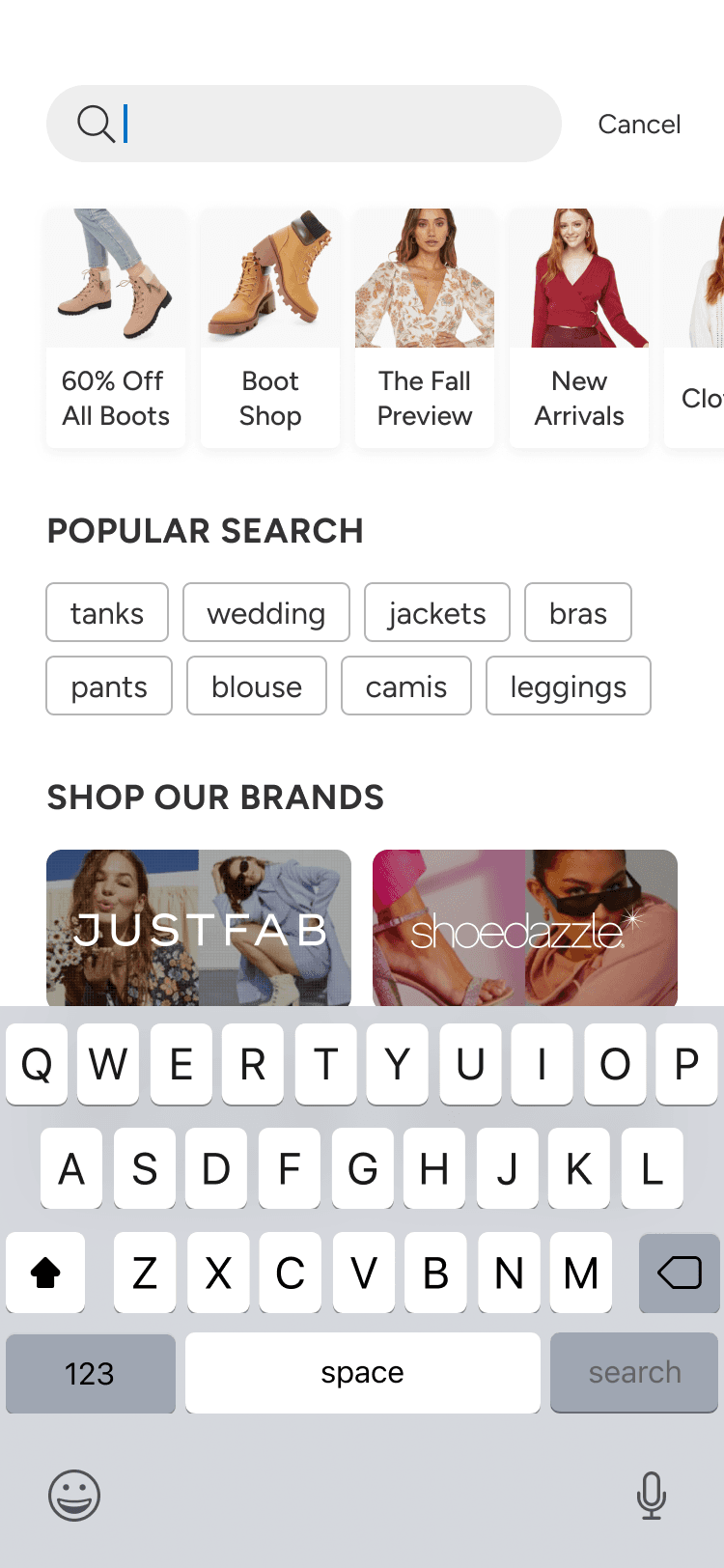
Introduce visual, category driven discovery and recent search shortcuts
STRATEGIC GOAL
Reduce "time to result" and help users find products faster
Turn search into a stronger discovery and conversion channel
DISCOVERING TWO HIGH INTENT SEARCH BEHAVIORS
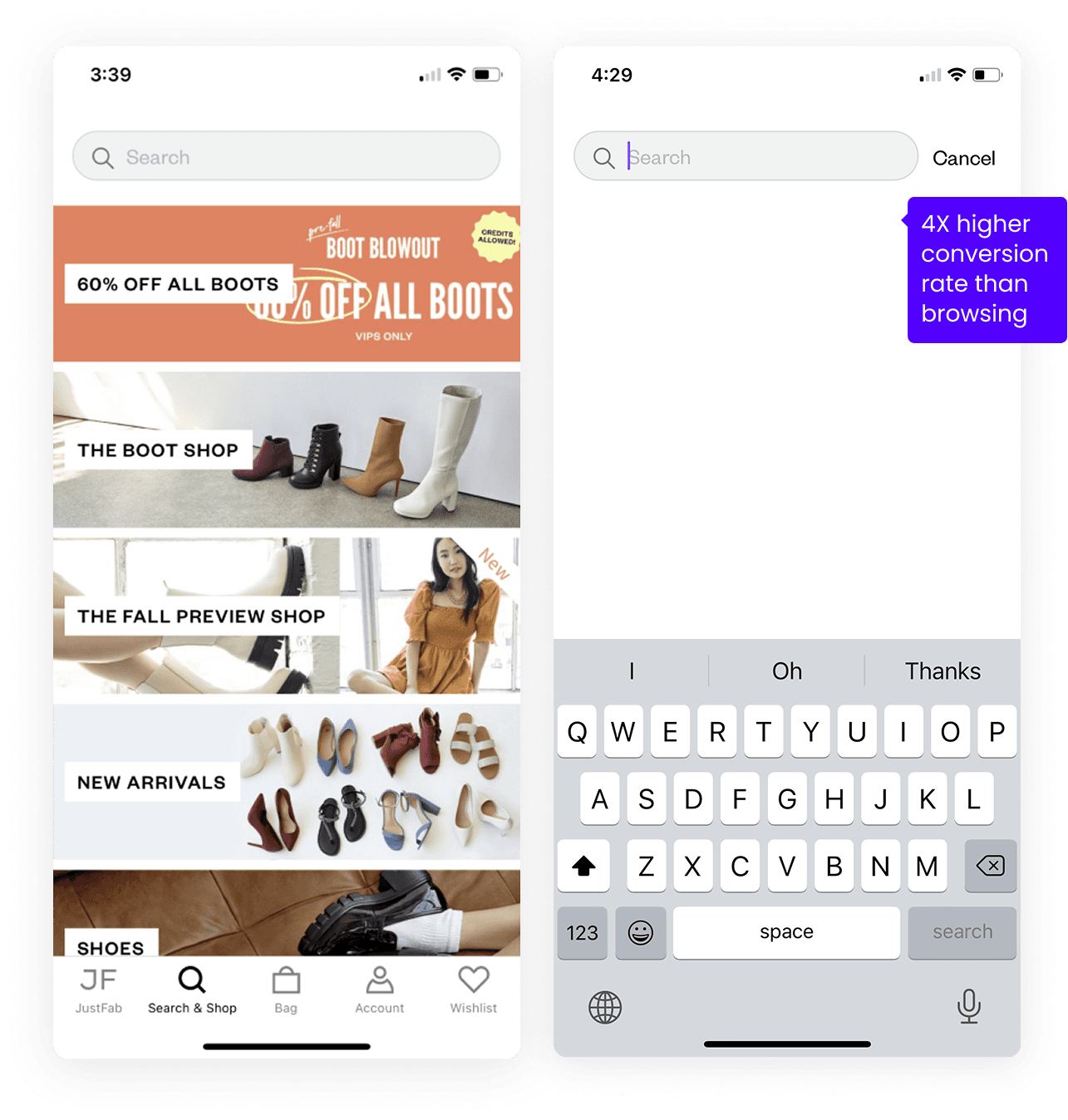
Search behavior split into two clear modes: casual browsing and direct keyword searching, each needing different UX patterns.
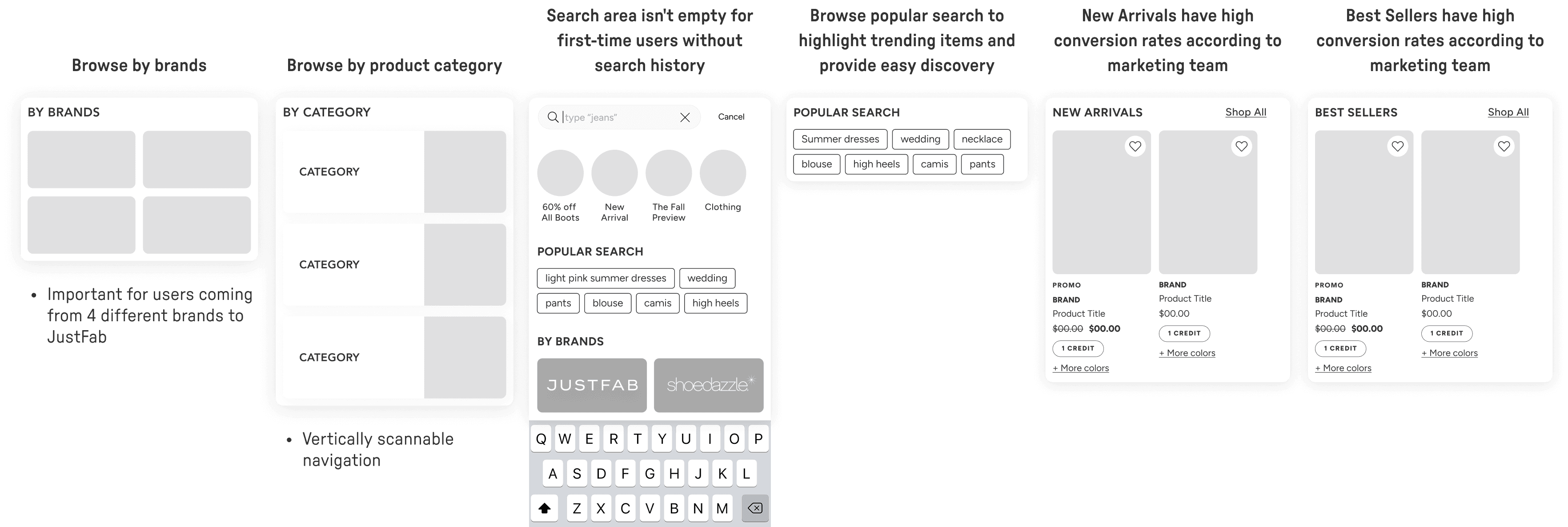
Browsers made up the larger users and responded to visual merchandising, popular searches, categories, brands, and curated entry points that reduce blank screen friction.
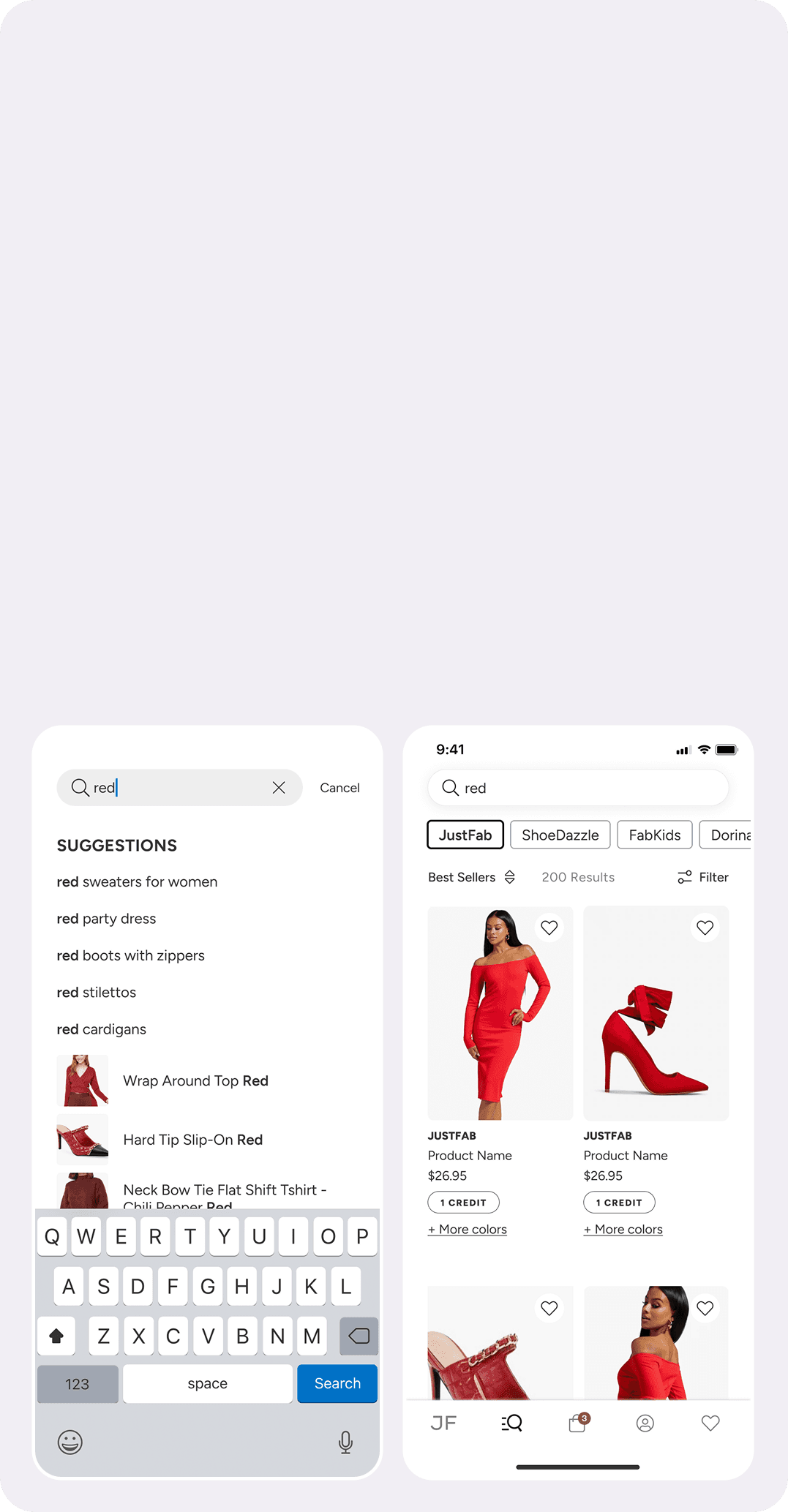
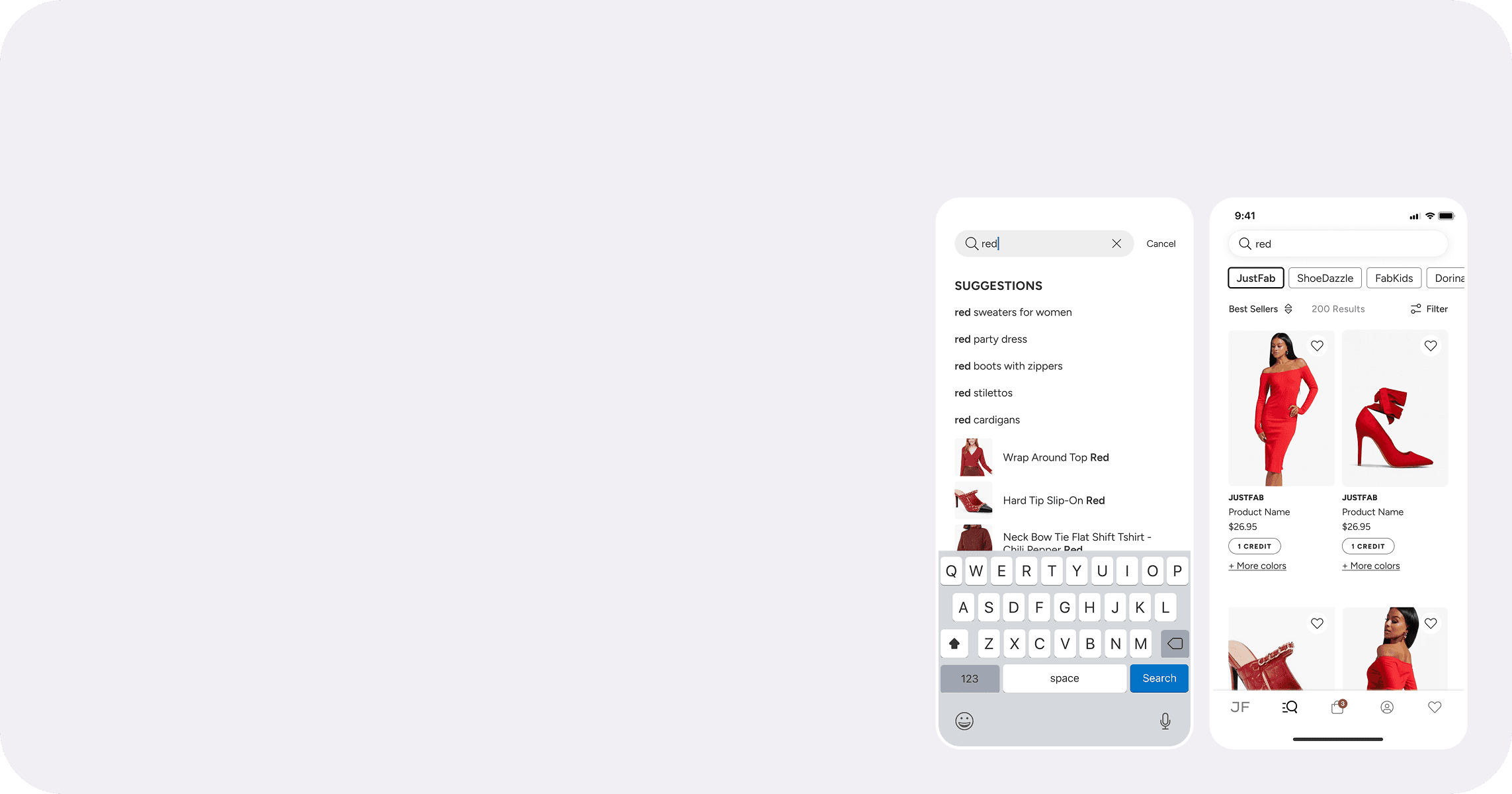
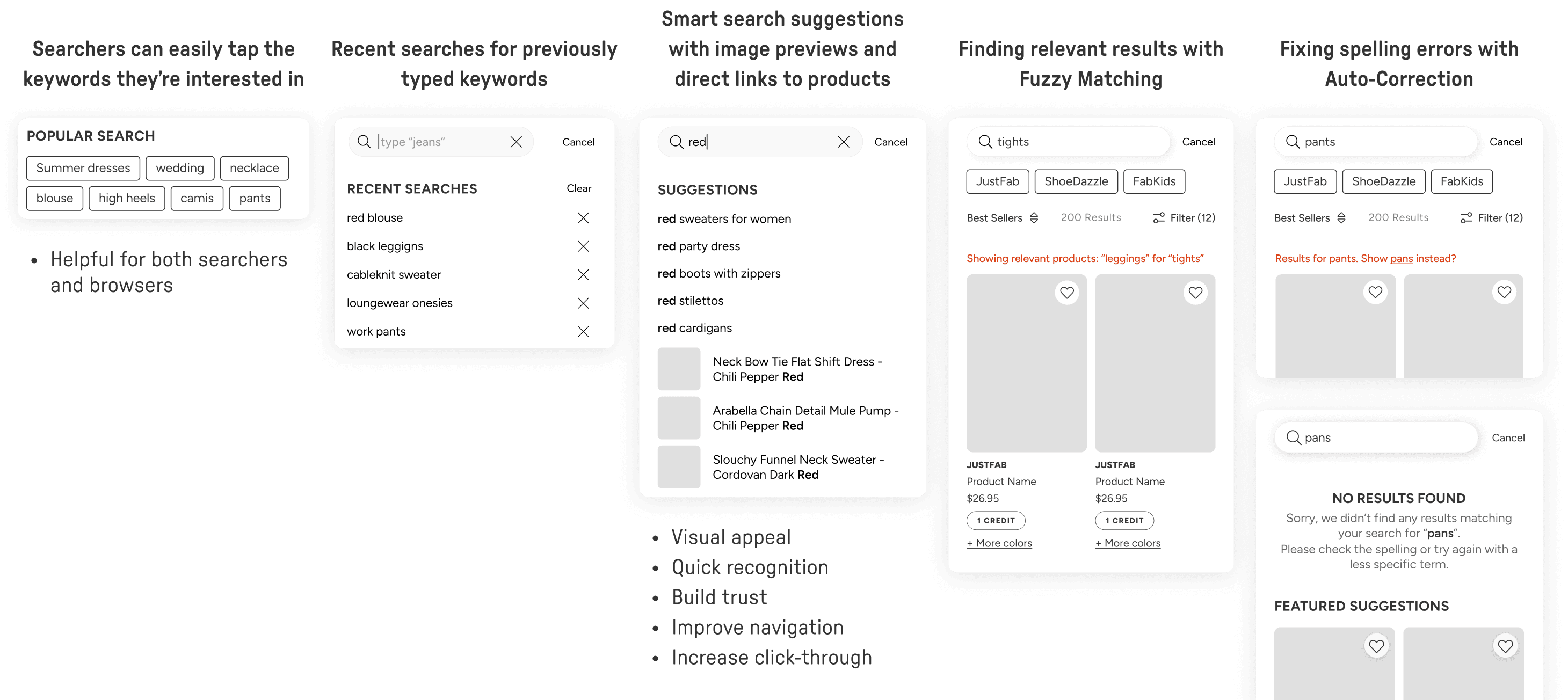
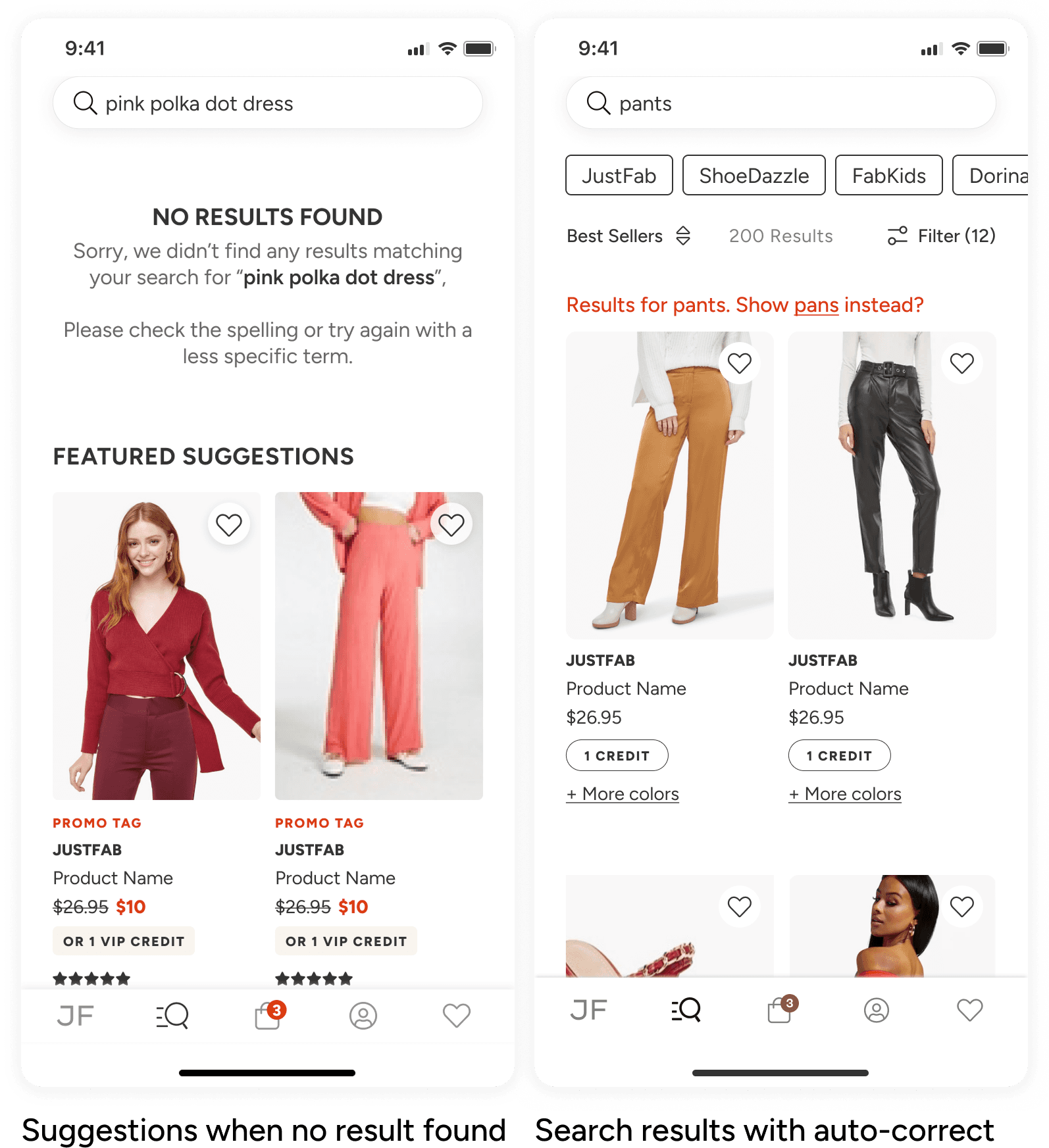
Keyword searchers were far more conversion driven, with search users converting 4x higher than scrollers, which pointed to the need for smart suggestions, recent searches, auto correction, and fuzzy matching to speed users to relevant results.
VALIDATING SEARCH ICON ADOPTION
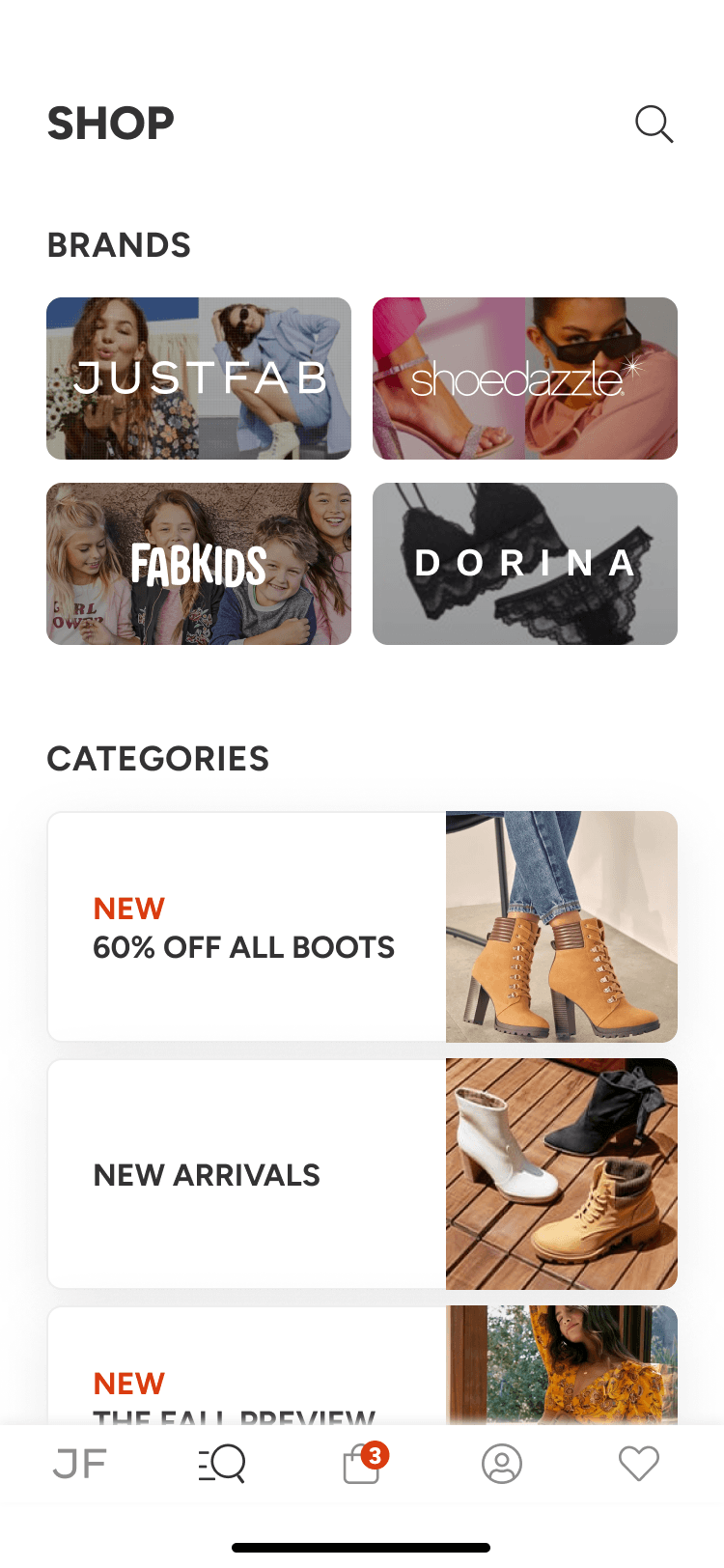
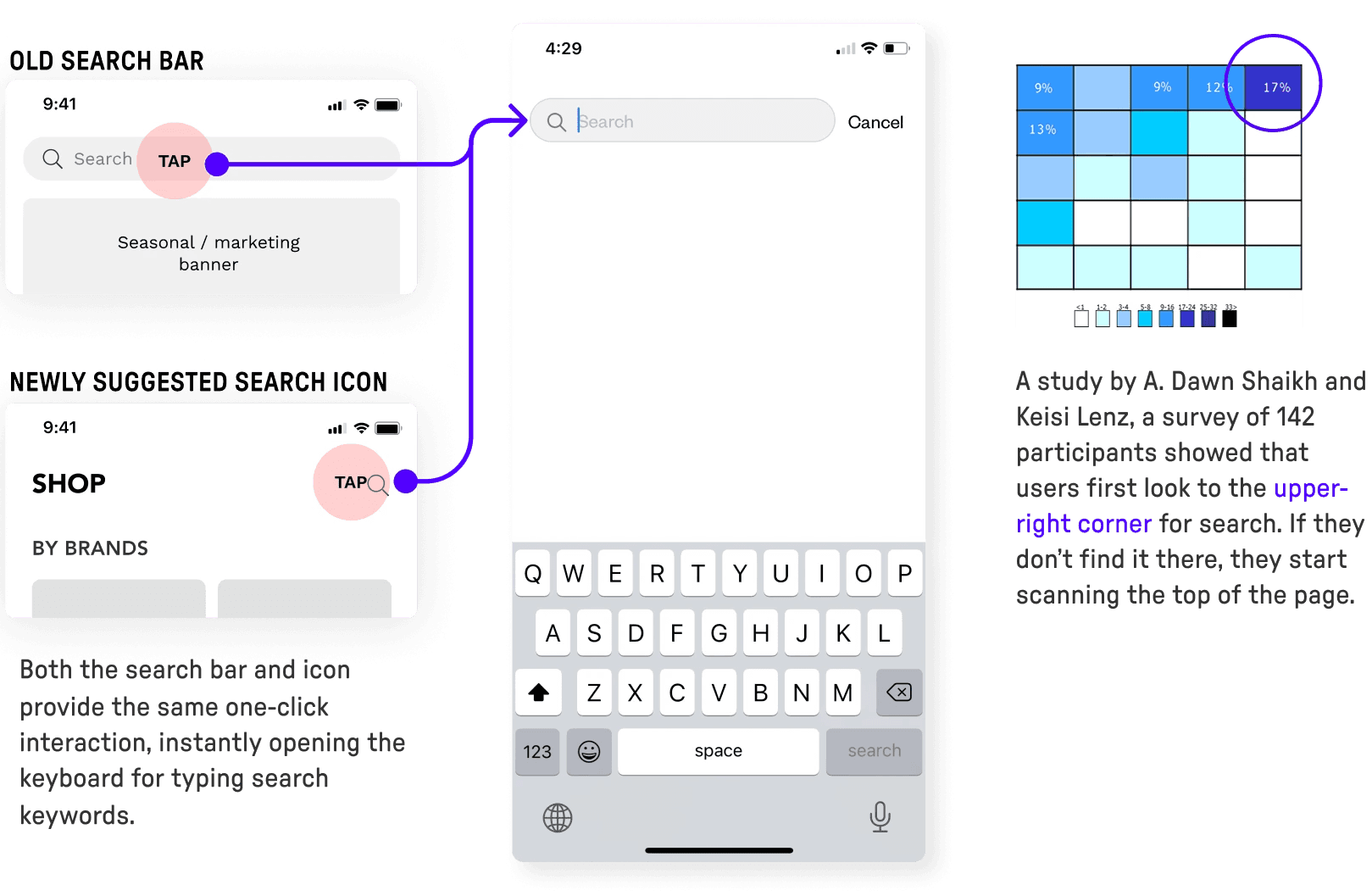
Research showed users naturally scan the upper right area for search, and it supported the shift from a persistent search bar to a search icon without hurting discoverability.
Since both the bar and icon triggered the same one tap action and immediately opened the keyboard, the interaction model remained unchanged while freeing space for curated content.
This made the title + search icon a stronger layout choice, due to balancing user expectation, marketing needs, and a cleaner browse experience with more room for brands and categories.
USING EVIDENCE TO ALIGN STAKEHOLDERS ON LAYOUT
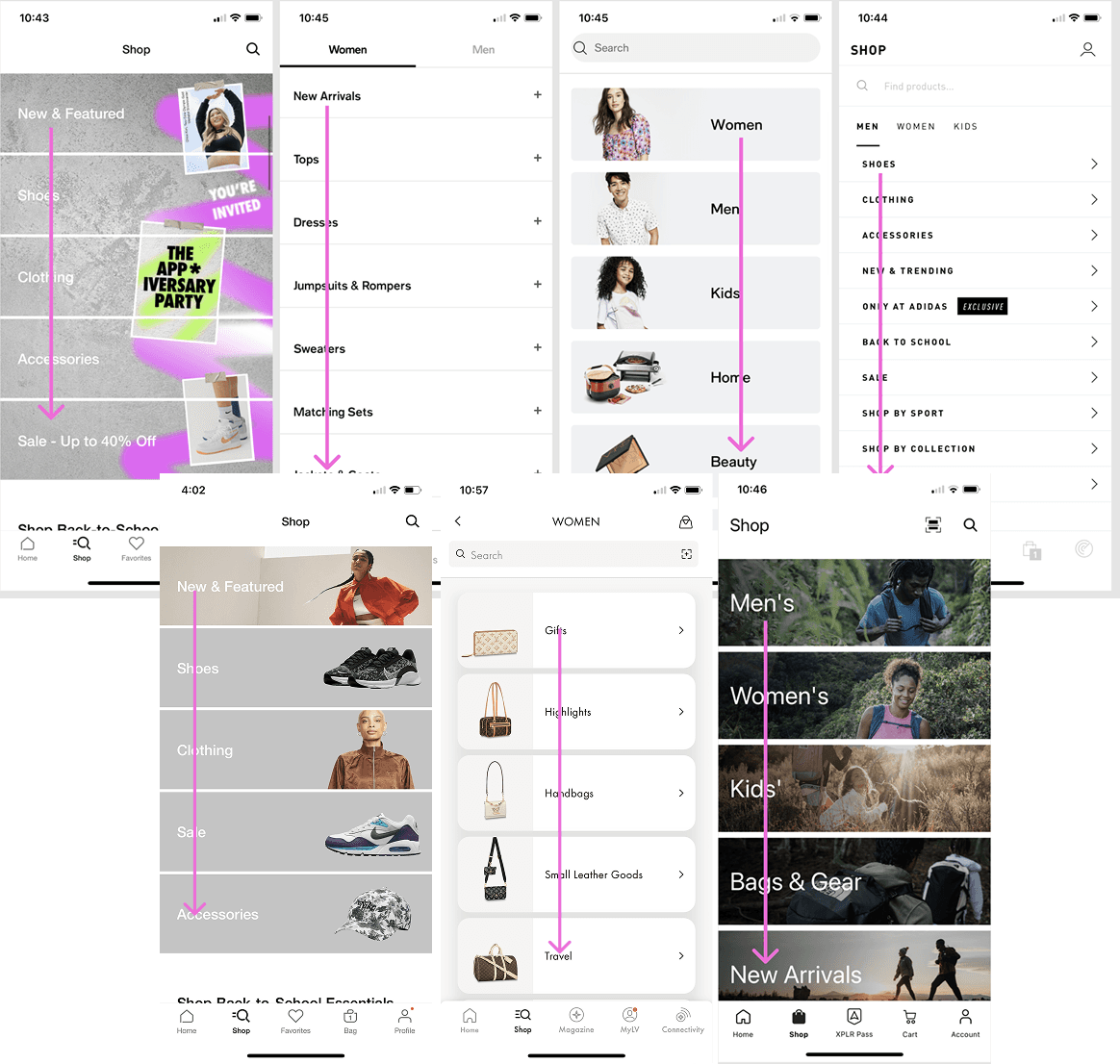
Competitive analysis showed search and browse surfaces typically favor vertical, scannable category structures over larger promotional image blocks.
I used scanning behavior, industry norms, and benchmark patterns to recommend a layout that supported both discoverability and usability, even when it differed from the creative team’s initial preference.
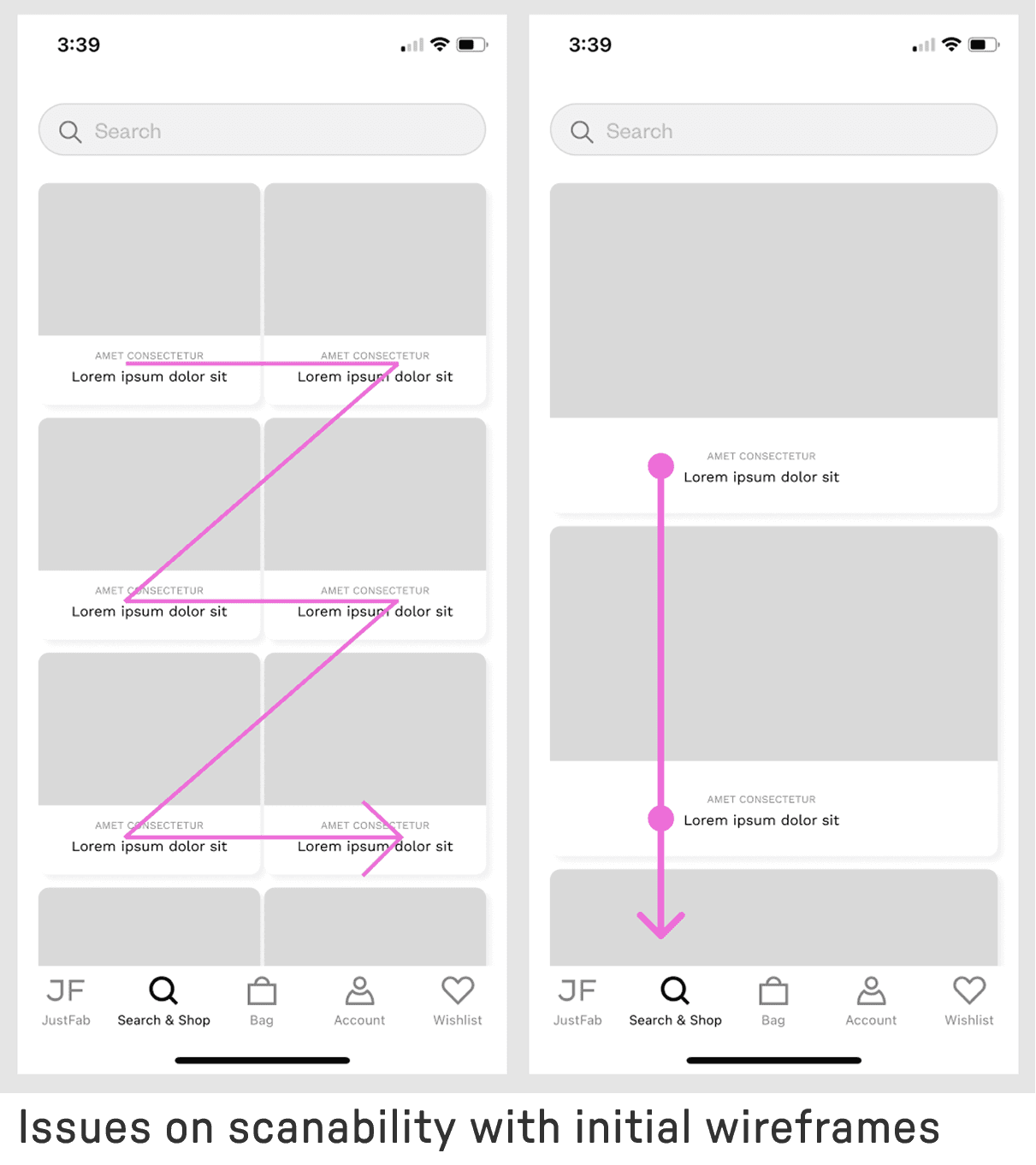
WHY VERTICAL SCANNING MATTERED MORE
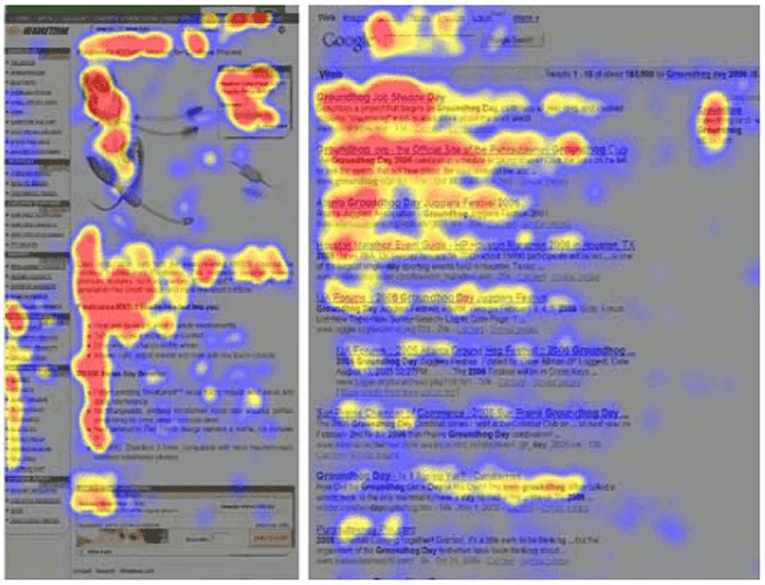
Research showed users scan category lists top to bottom. This makes horizontally wide modules easier to skim than image heavy grid layouts.
Eye tracking and heatmap patterns supported keeping text forward, vertically stacked categories so users could find paths faster with less visual friction.
CASUAL BROWSERS
Browsers are heavily influenced by marketing’s seasonal promotions with imagery.
They have higher engagement but lower conversion compared to keyword searchers.
Need to target these users with relevant content, eye catching placement of products, compelling headlines and clear CTAs.
INTENTIONAL KEYWORD SEARCHERS
Keyword searchers are 4 times more likely to convert
They have lower engagement than browsers but higher conversion at Checkout/Bag.
Need to target these users with smart search suggestions, auto-correcting on spelling mistakes and fuzzy matching.
TESTING 3 CONCEPTS
TEST ENVIRONMENT
Tool: Maze
Participants: 15
METHOD
Hi-fi prototype
Unmoderated usability test
MEASURED ON
Task success
Perceived ease
Points of hesitation
TAKEAWAY
Overall search was easy
Supported fast discovery
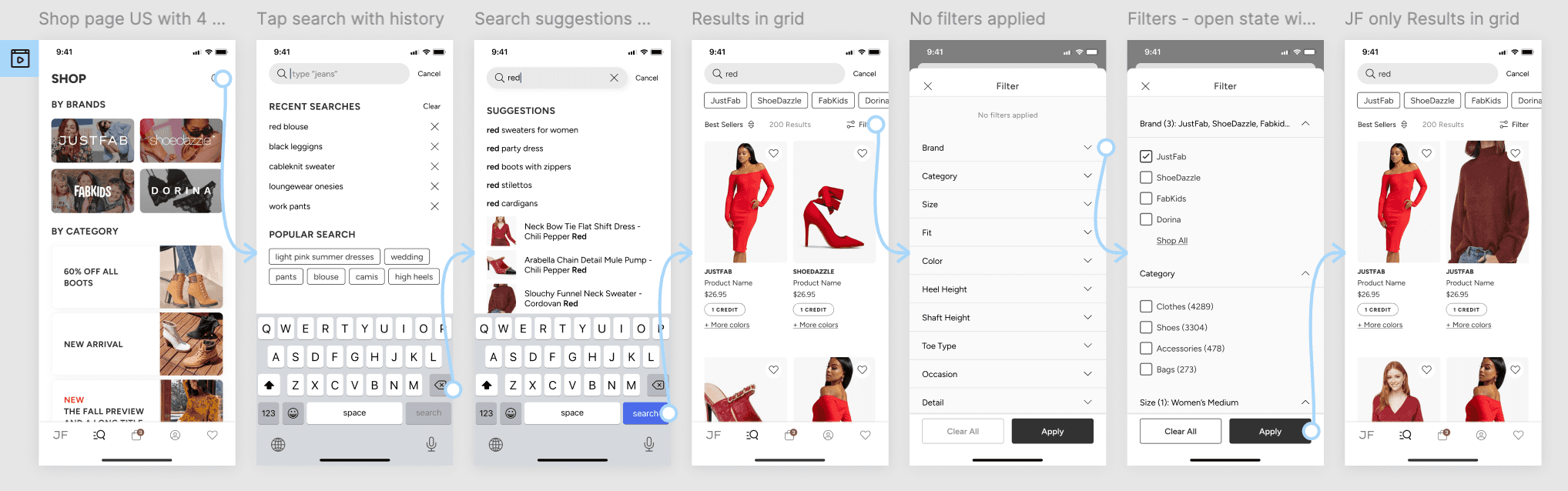
To validate the search experience, I tested a prototype with 15 participants on Maze.
The goal was to understand whether users could move through three critical parts of the flow:
Find the search entry point and begin a keyword search
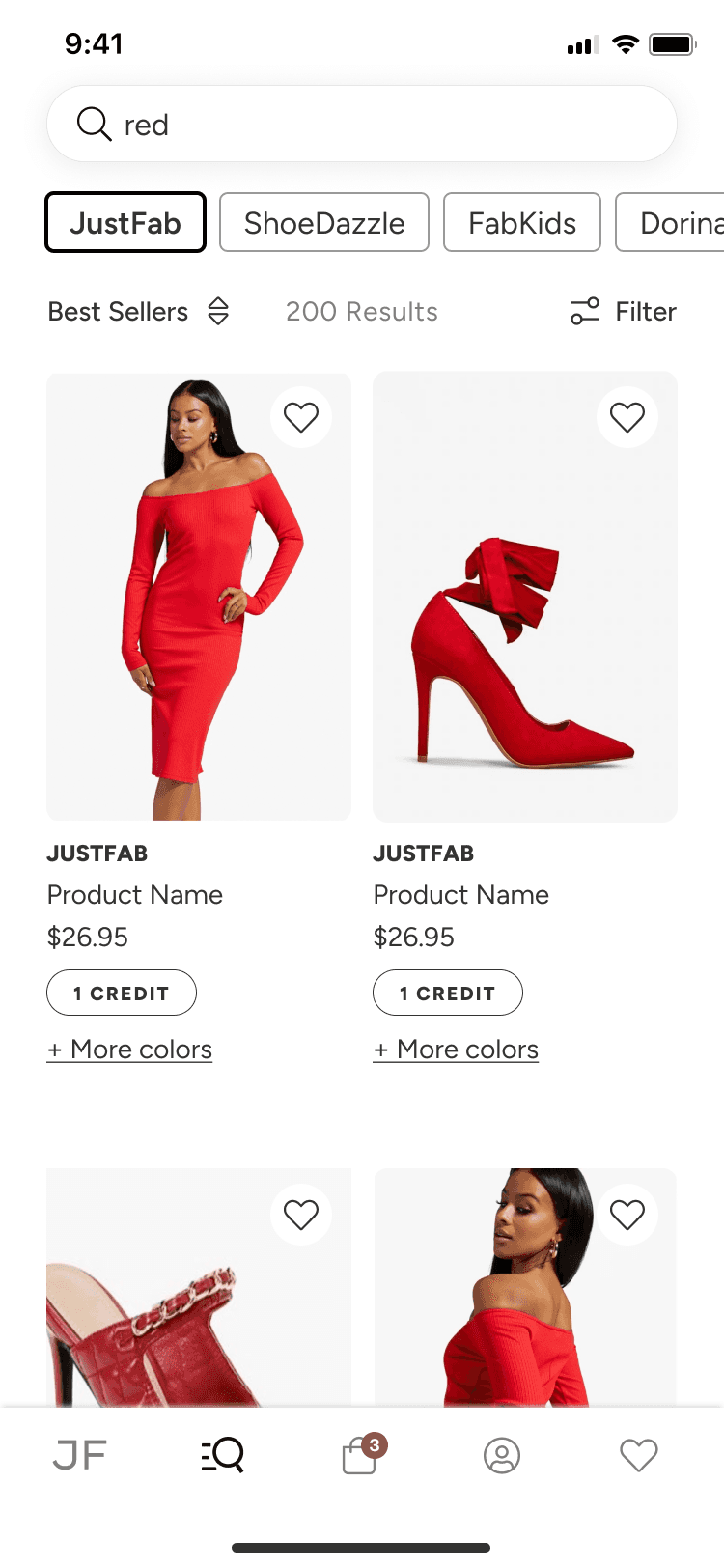
Use product image in search results to quickly find relevant items
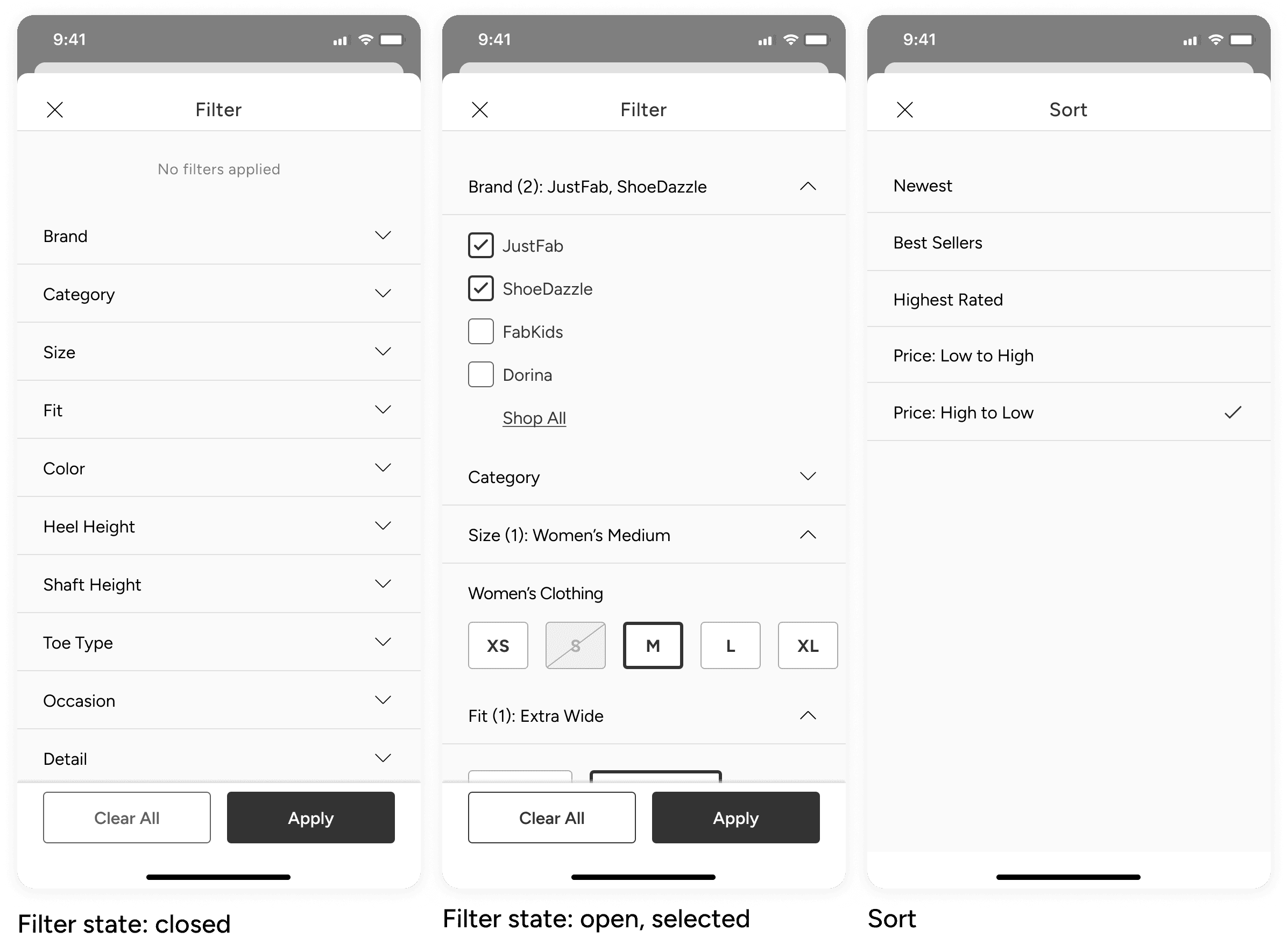
Narrow results to a specific brand using the brand pills
The test showed that 80% of participants which was 12 of 15 participants successfully completed the task and described the flow as easy to use.
The main point of friction appeared in the brand search, where 2 participants hesitated when trying to narrow results by brand. This suggested that the filter controls were not immediately clear, but they were still able to complete the task without assistance.
KEYBOARD INTERACTION
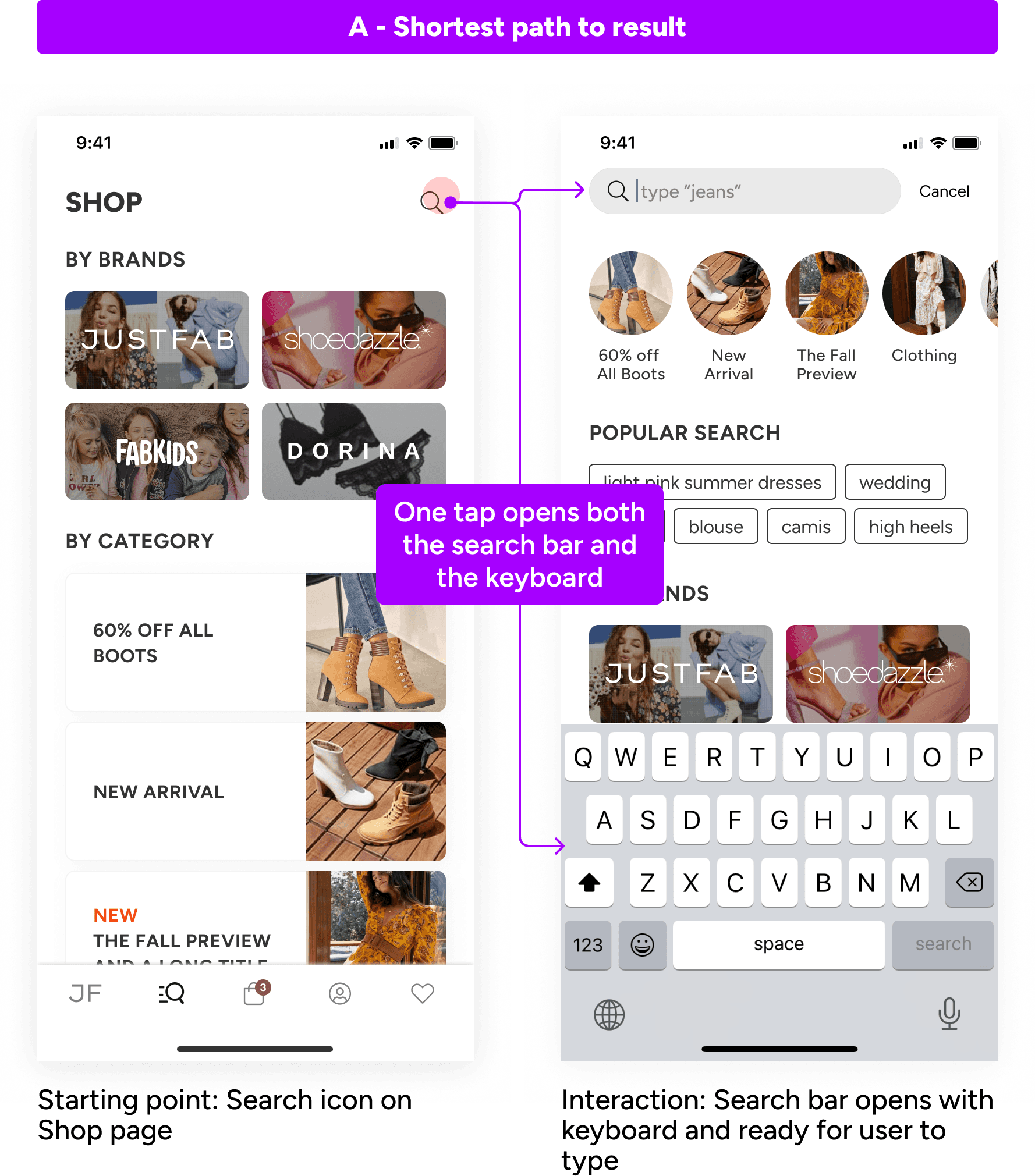
For users who rely on keyword search, I prioritized a flow that minimized effort and got them to results as quickly as possible.
These users often arrive with a specific intent, so adding unnecessary steps can slow them down at the exact moment they want efficiency.
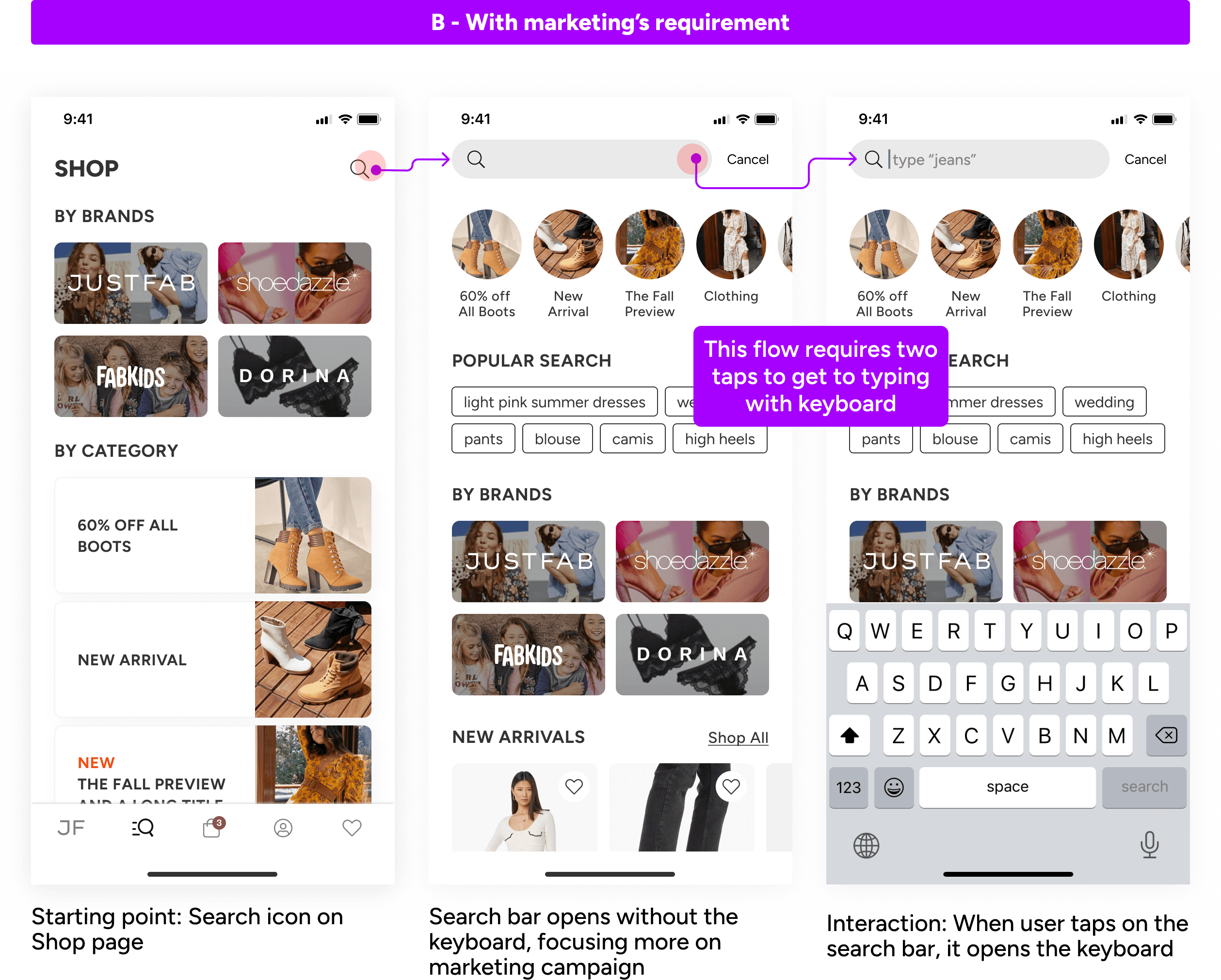
One challenge was that the marketing team wanted to use the intermediate search screen for promotional messaging.
While that supported a business goal, it also added friction by requiring two taps instead of one before users could begin searching.
I explored a solution that balanced both user and business needs: preserving the shortest path to search results while still accommodating marketing content within the flow. After presenting the approach to stakeholders, we aligned on a direction that supported both goals without compromising speed for high intent users.
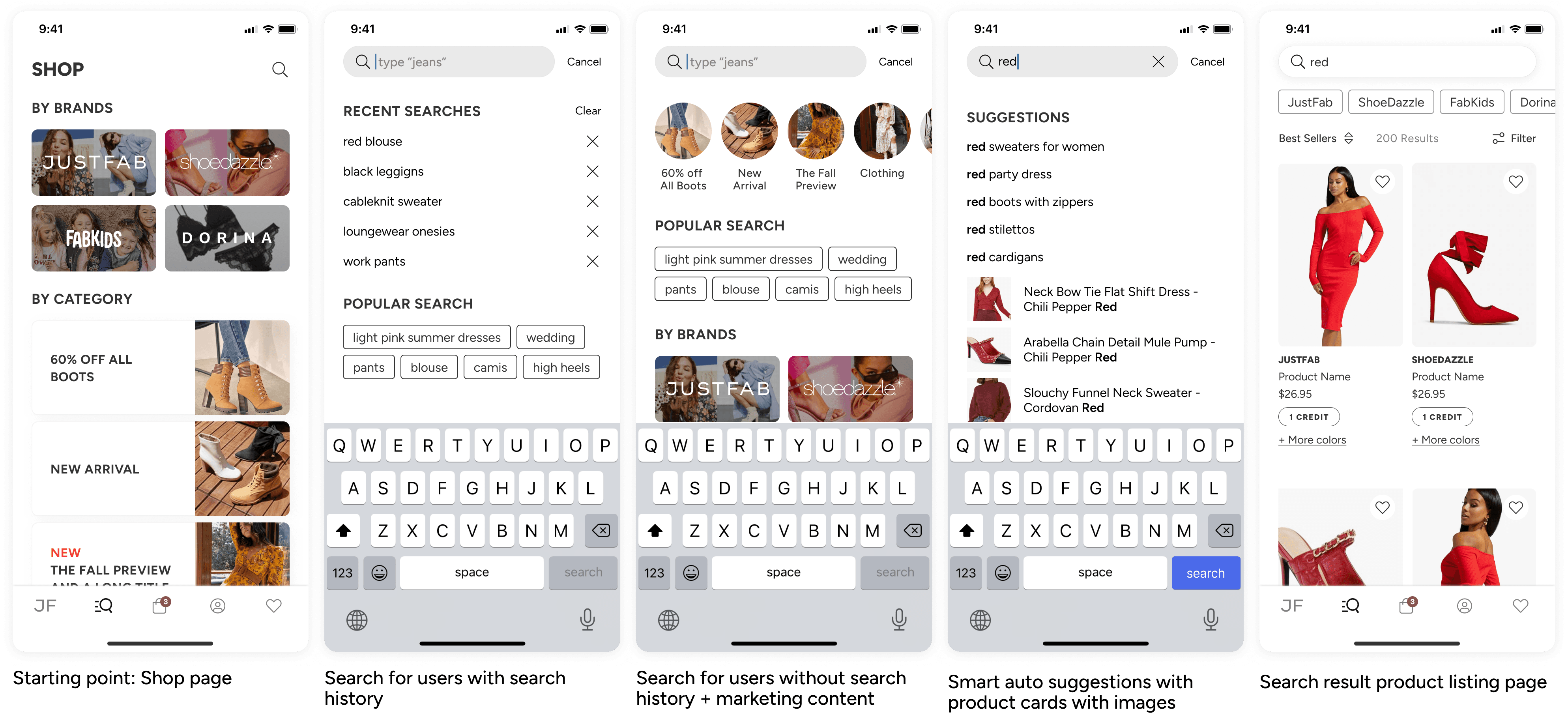
SEARCH FOR USERS WITH AND WITHOUT HISTORY
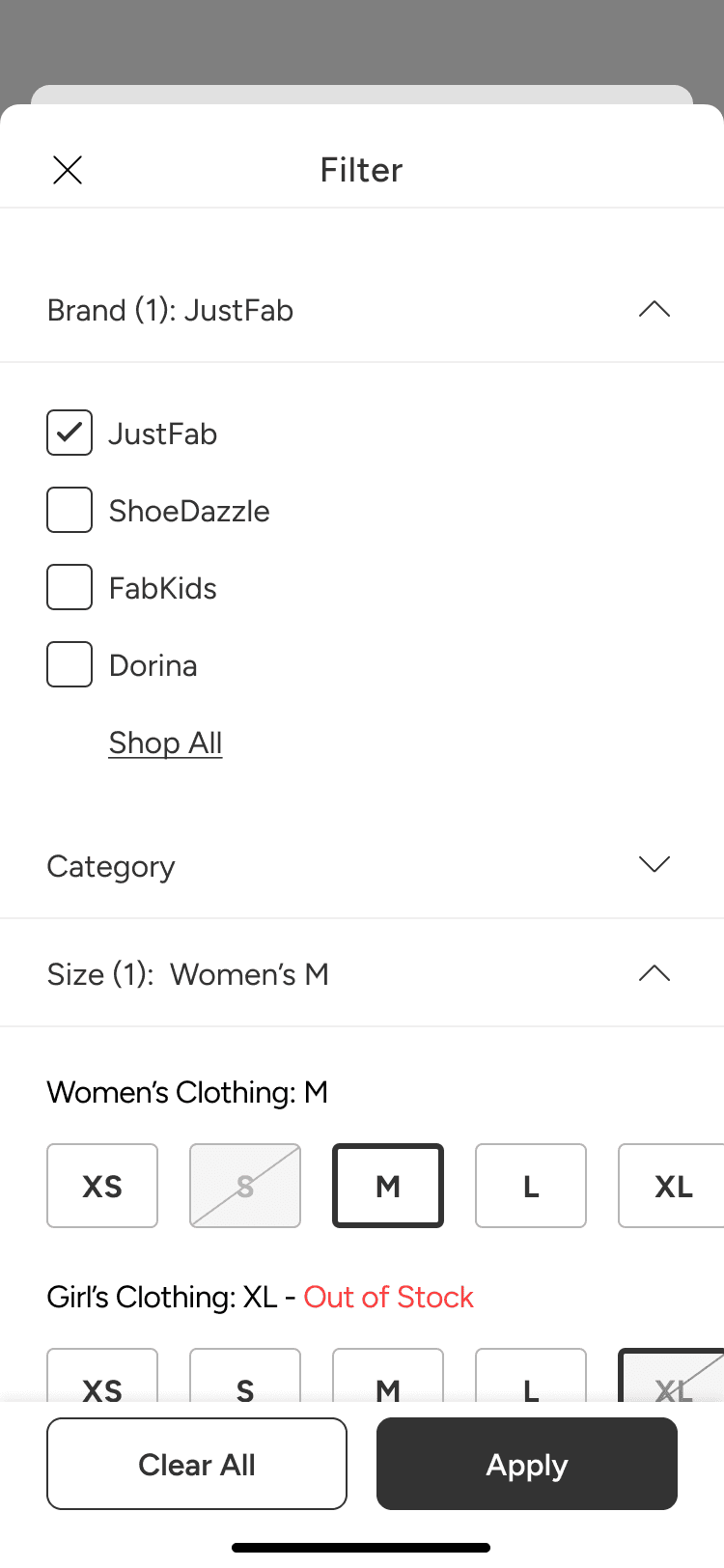
FILTER AND SORT FUNCTIONS
ERROR HANDLING
DESIGNING FOR DISTINCT SEARCH BEHAVIORS
Search users have different intents. Some want speed, while others need support to explore. This project taught me to design for both through research and testing.
EXPANDING TECH FLUENCY IN SEARCH SYSTEMS
Working on fuzzy matching helped me better understand backend search logic through close collaboration with engineers. That made my design decisions more grounded.
APPLYING INDUSTRY STANDARDS THOUGHTFULLY
I learned how to study common search patterns, understand why they work, and apply them in a way that fit our product and users.
Good design is personal ☕️
© 2026 Claire M Lee. All Rights Reserved.