BUSINESS PROBLEMS
Business sees wallet as a payment hub while users see it as a rewards and coupons hub
Offers page has always been a friction point for users at checkout
PRODUCT OPPORTUNITY
Build a single, organized view of rewards, offers and points and make value visible
Auto-surface and apply relevant promotions at checkout
STRATEGIC GOAL
Reframe wallet as a loyalty engine that supports convenience and payment
Deepen loyalty driven retention by targeted offers
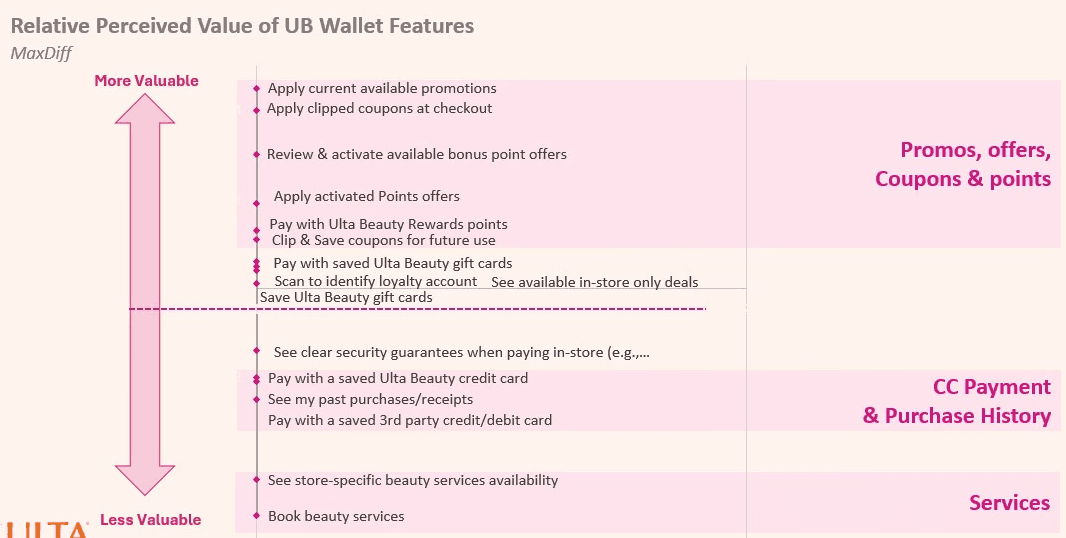
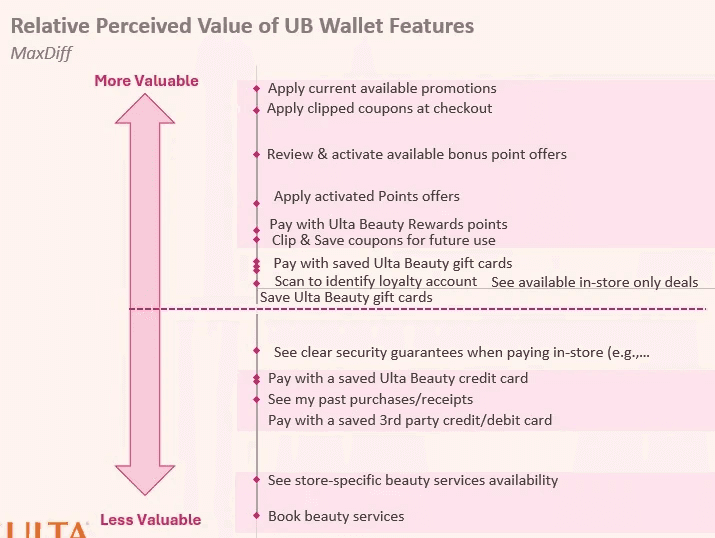
Research showed that shoppers associate the Ulta wallet primarily with rewards, coupons, and bonus point offers, rather than payment convenience. The perceived value comes from helping customers maximize benefits tied to the loyalty program.
Many users reported difficulty finding, activating, and tracking promotions during checkout, which creates uncertainty about whether they received all available discounts.
As a result, customers expect the wallet to surface and organize loyalty value clearly, helping them understand and access their rewards in one place.
WALLET ADOPTION DEPENDS ON VALUE
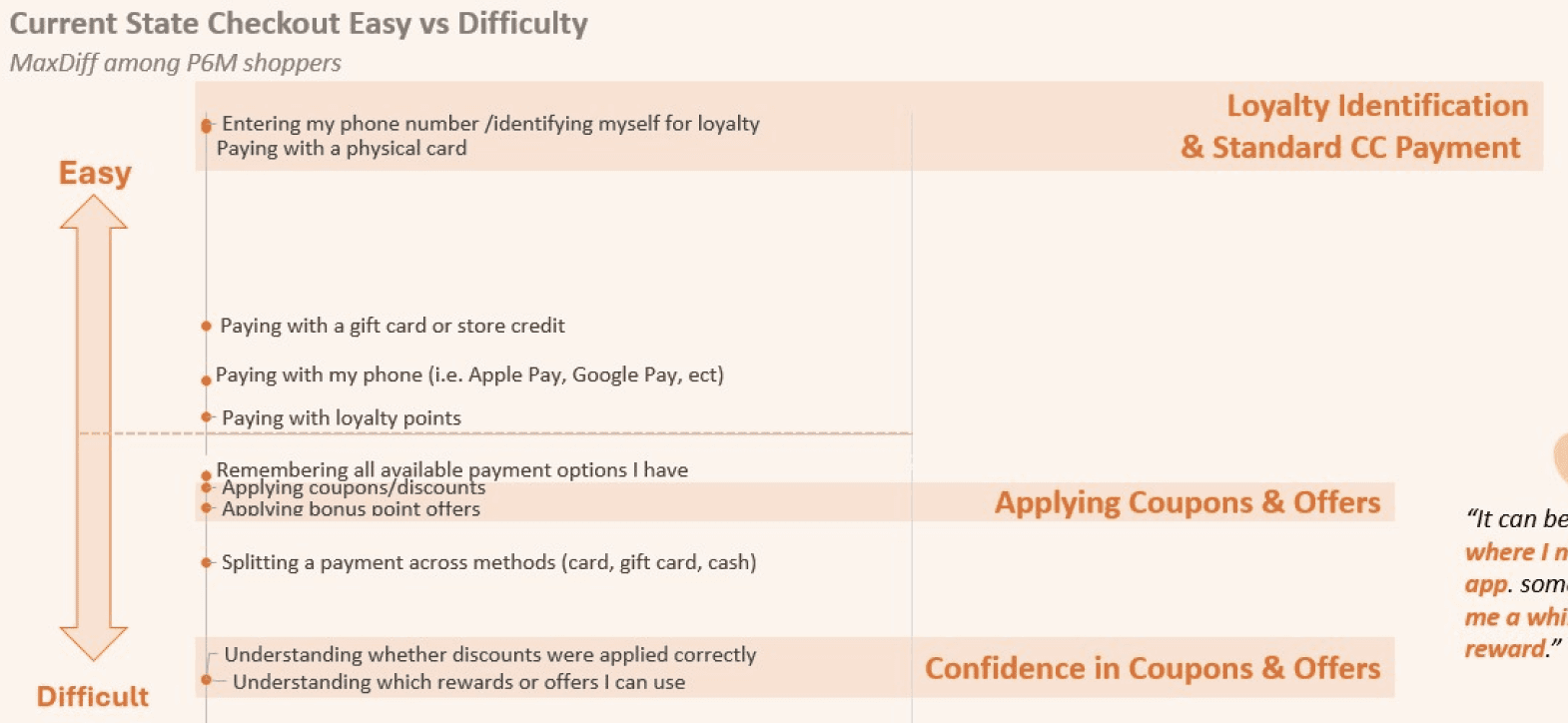
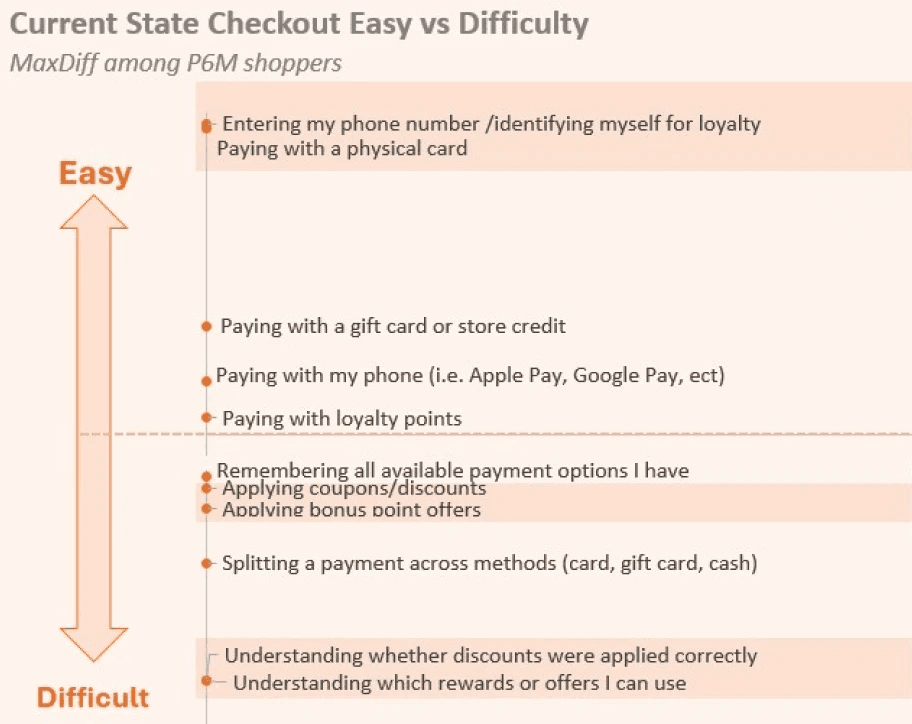
Traditional payment is already perceived as relatively easy at checkout, and platform wallets like Apple Pay dominate on speed and convenience, making it difficult for retailer wallets to compete purely on payment efficiency.
Consumer interest in the Ulta wallet is driven more by exclusive loyalty benefits, such as redeeming rewards points and accessing targeted offers, rather than storing credit or debit cards.
This suggests the wallet’s role should focus on amplifying purchase value and reinforcing loyalty, positioning payment as a supporting capability rather than the primary reason to use the feature.
GOAL
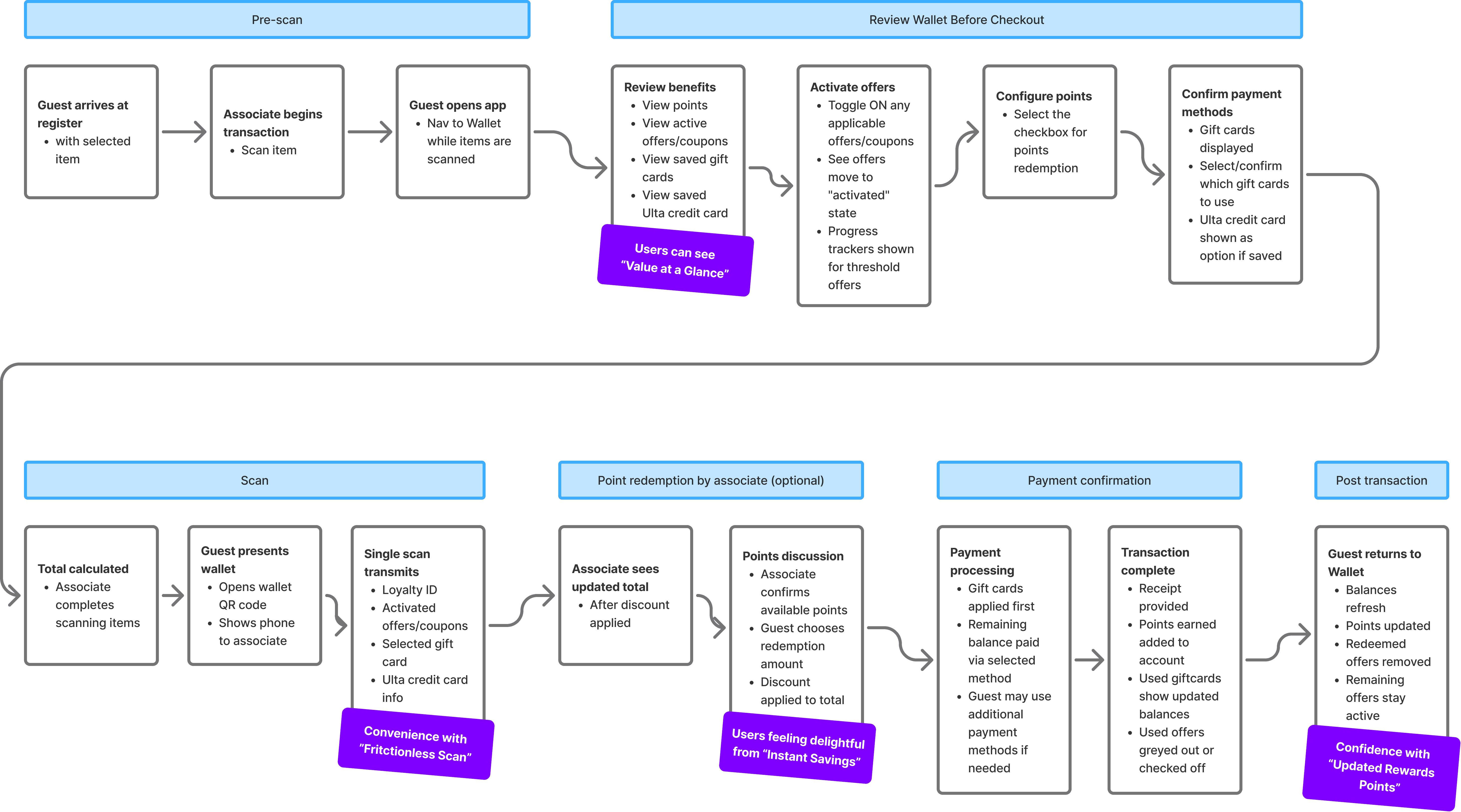
LOYALTY FIRST WALLET
Rewards and offers should be visible and accessible before payment methods, and it need to reinforce the wallet as a value hub than a payment tool.
SINGLE SCAN CHECKOUT
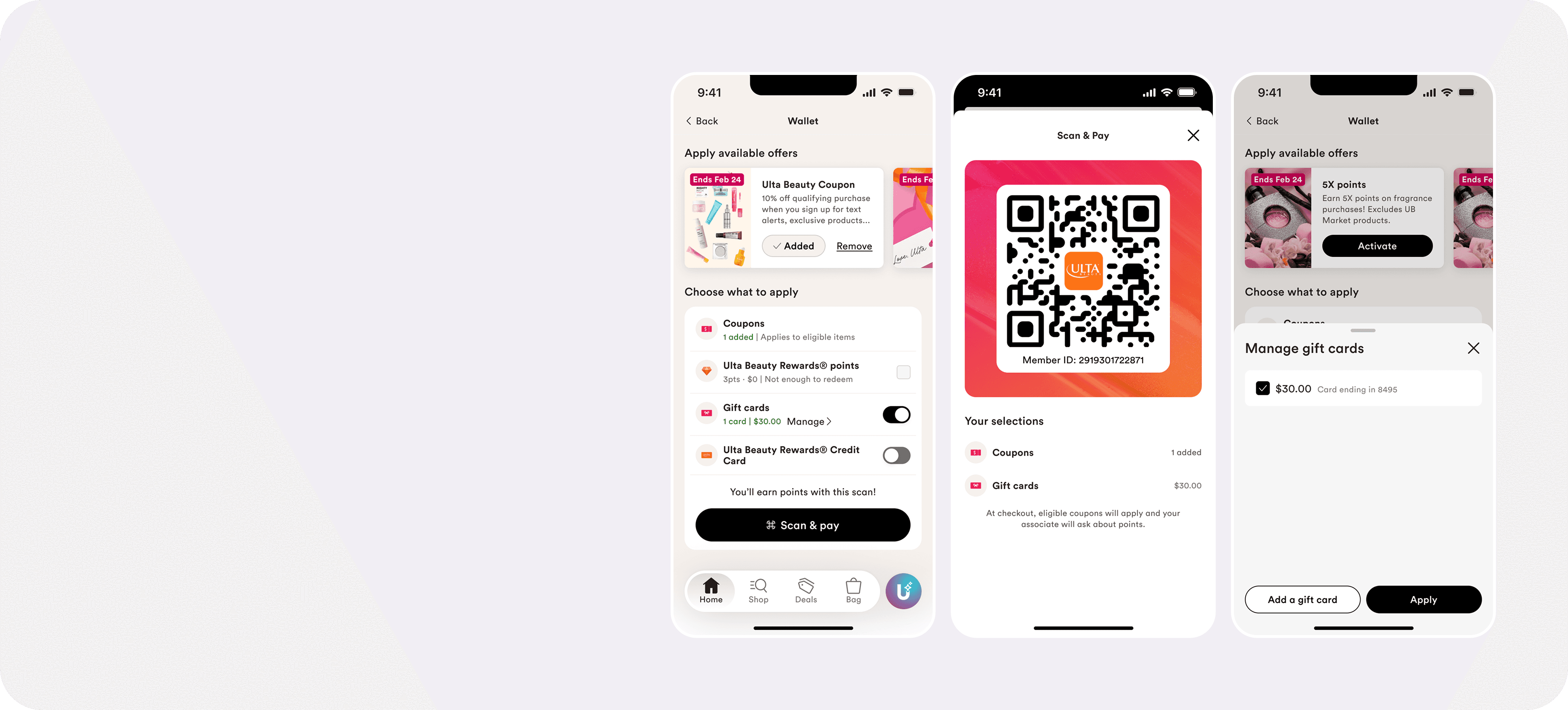
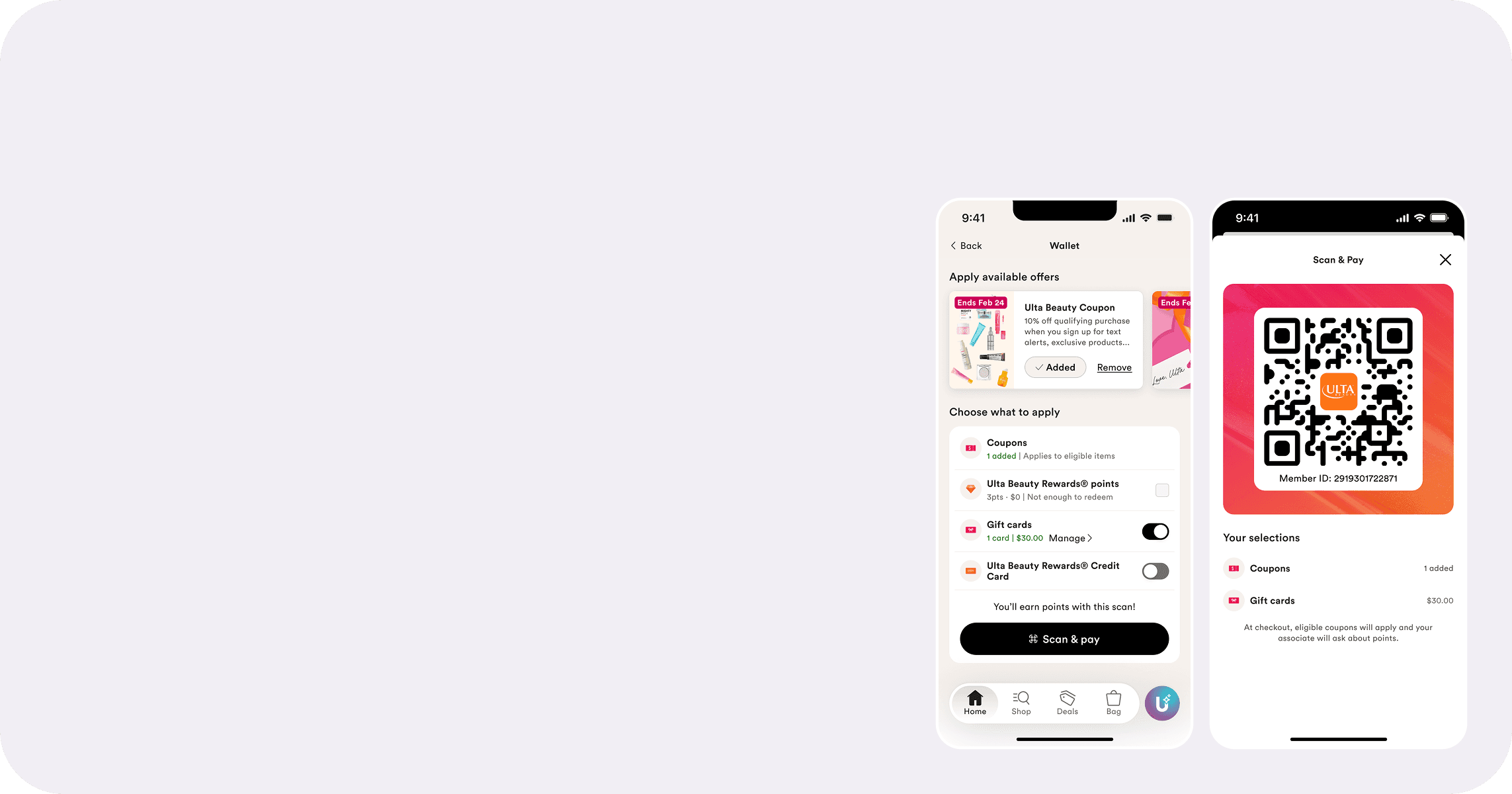
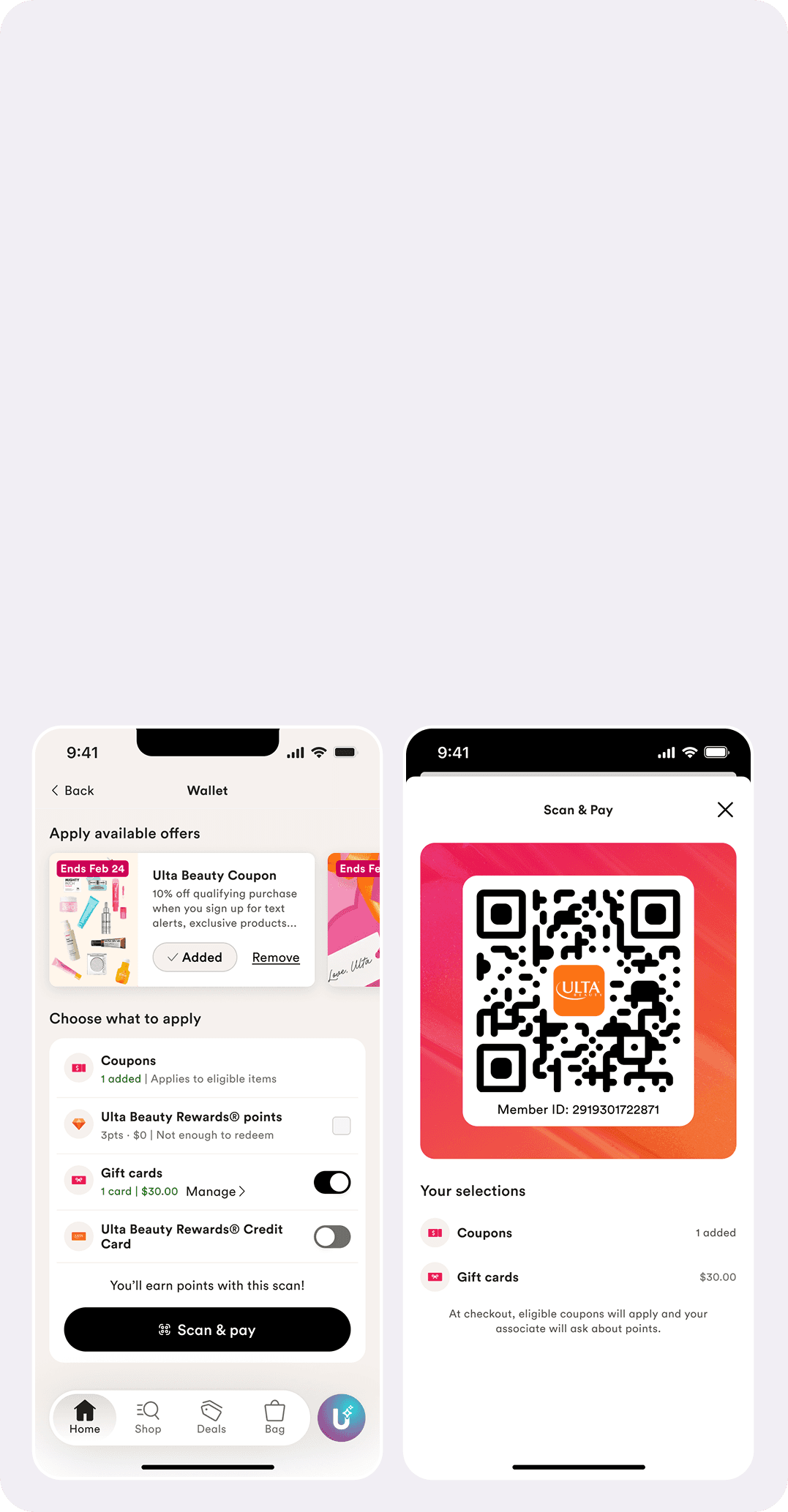
The wallet experience should let guests to identify loyalty, apply offers, and connect payment with one scan at checkout.
PAYMENT CONFIRMATION
Users should always be able to confirm payment intentionally to avoid accidental transactions and maintain trust.
CONFIDNECE IN SAVINGS
Guests should clearly see how rewards, coupons, and points affect their final total.
LOYALTY VALUE FIRST AND SINGLE QR CODE
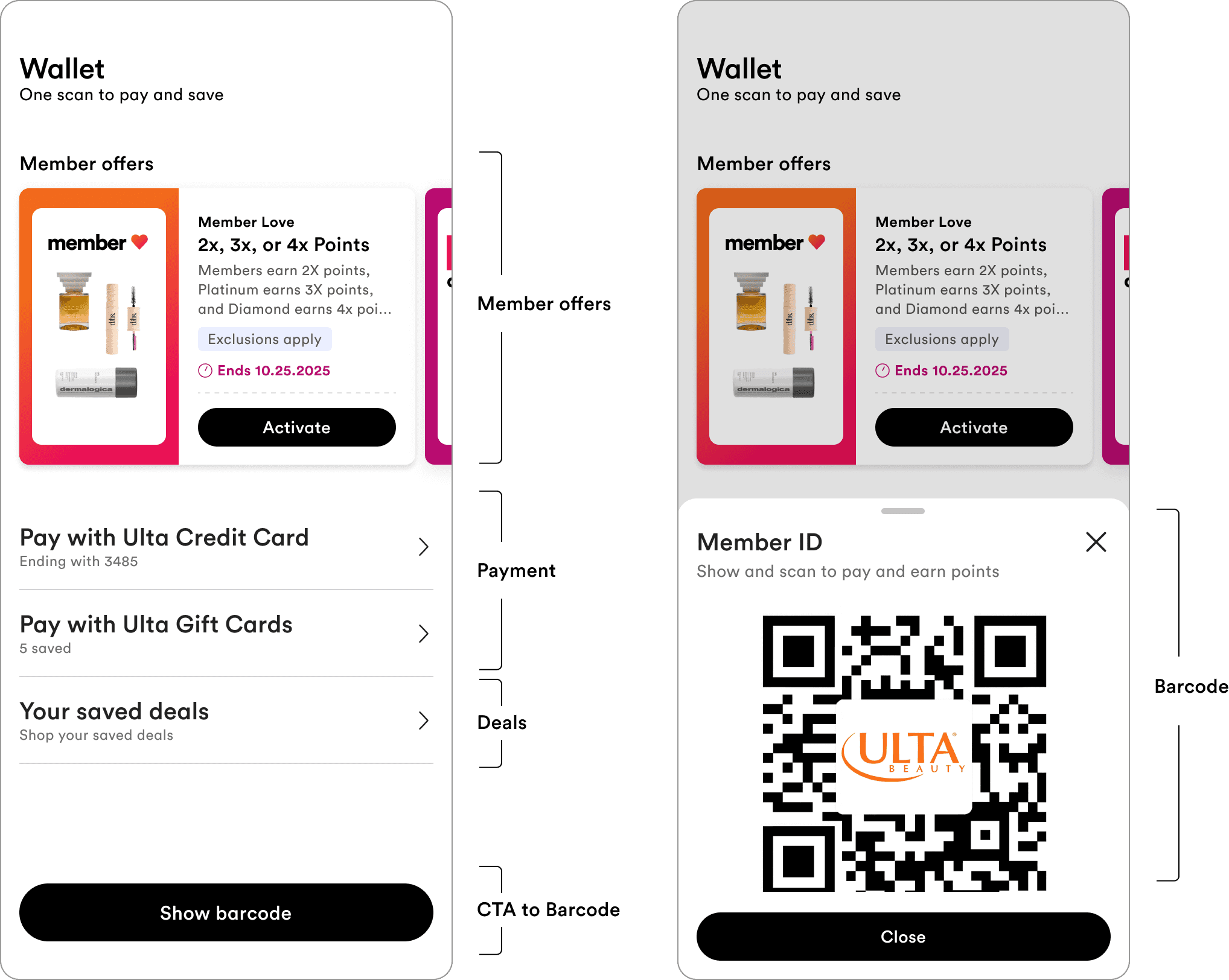
Design intent: Fit for user flow and security
Lead with the value users care about most which are offers and coupons, while supporting checkout through a unified QR code interaction.
Show offers and coupons first to keep users engaged.
Allow users to review and activate promotions before checkout.
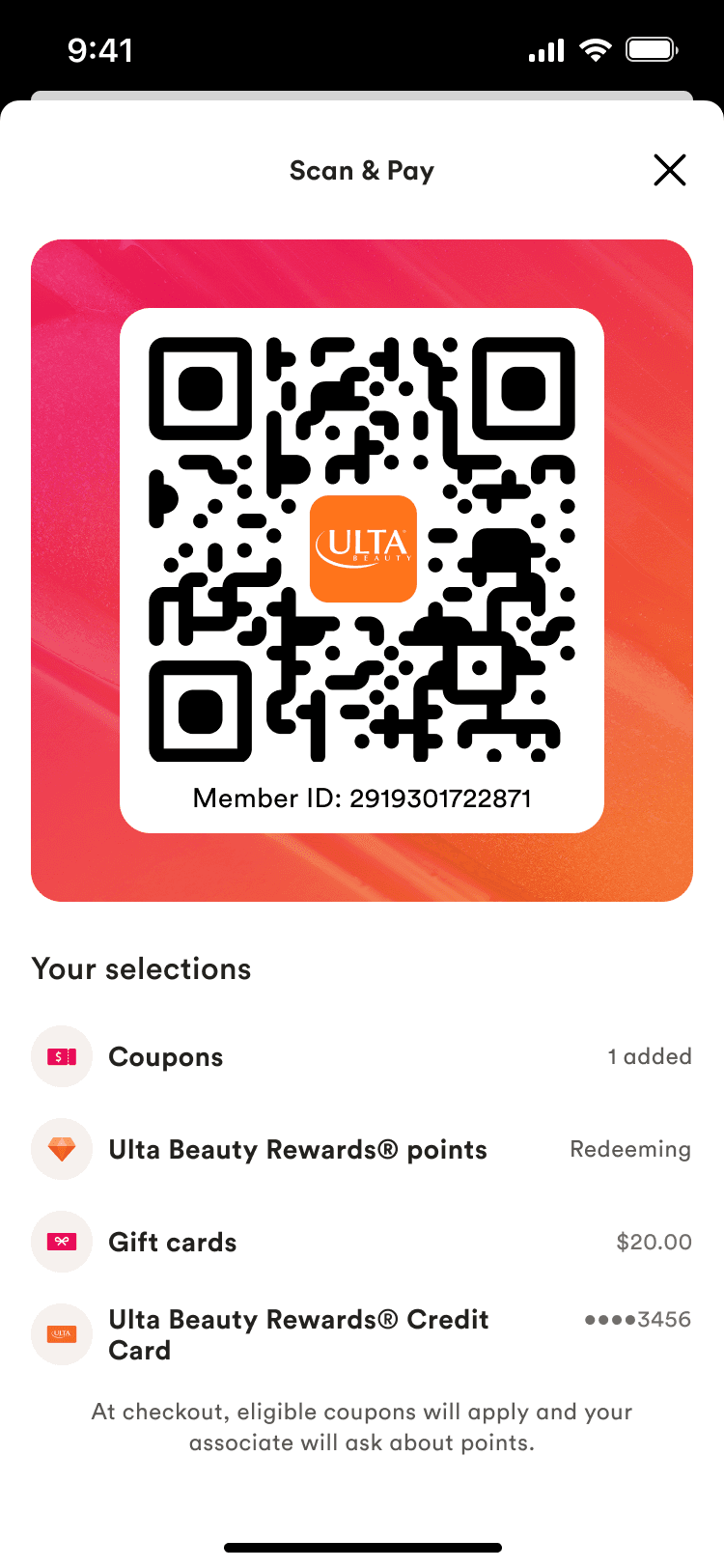
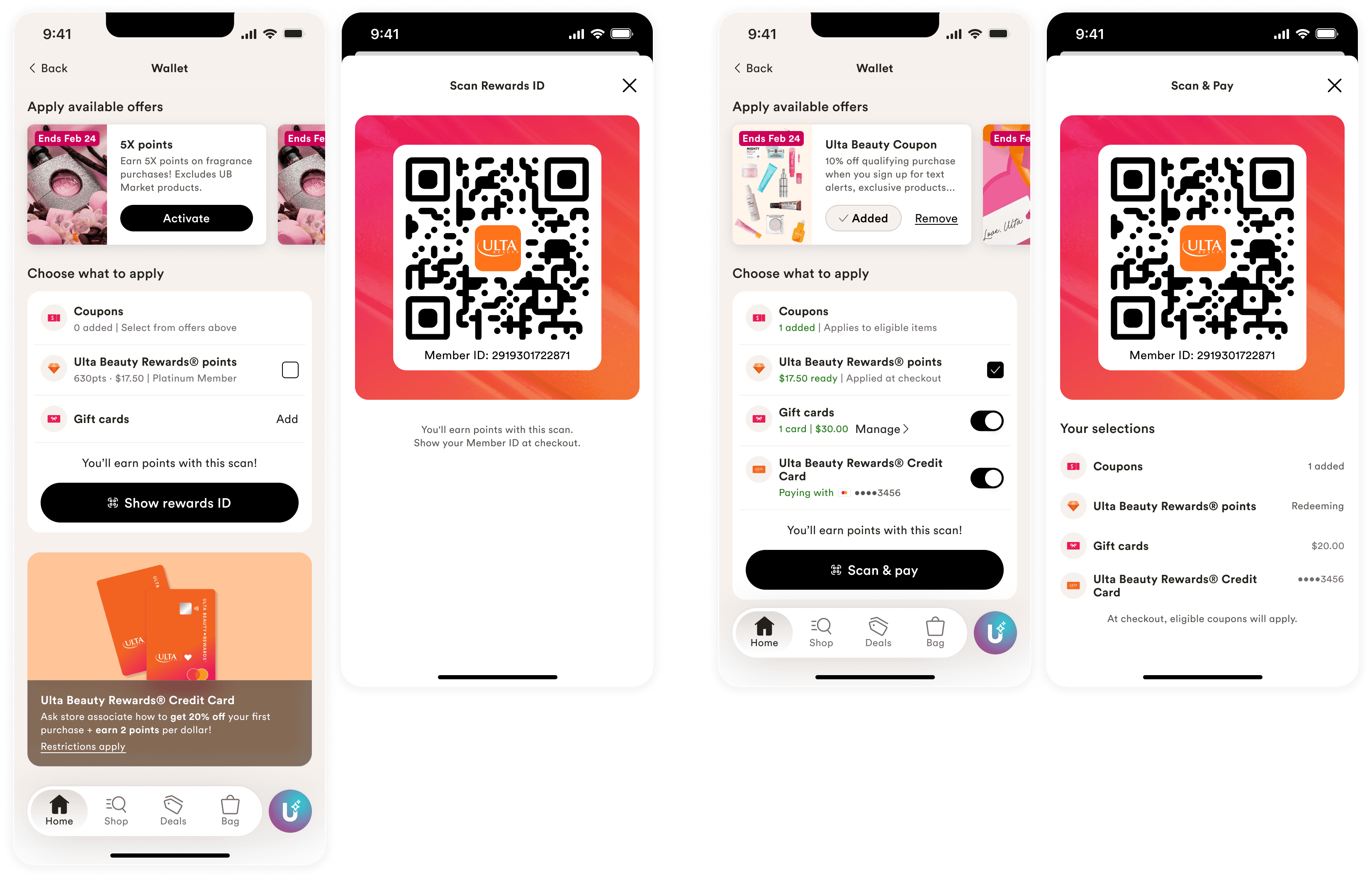
Connect payment methods to a single QR code interaction which enables loyalty, rewards, and payment processing within one scan.
Why this design was chosen
The design reflects research showing that users primarily value rewards and coupons, not payment so much.
Payment methods can be securely linked to a dynamic QR code which supports backend dev team's requirement.
The single QR lets users experience a simpler checkout, and it reduces friction compared with the two scan approach.
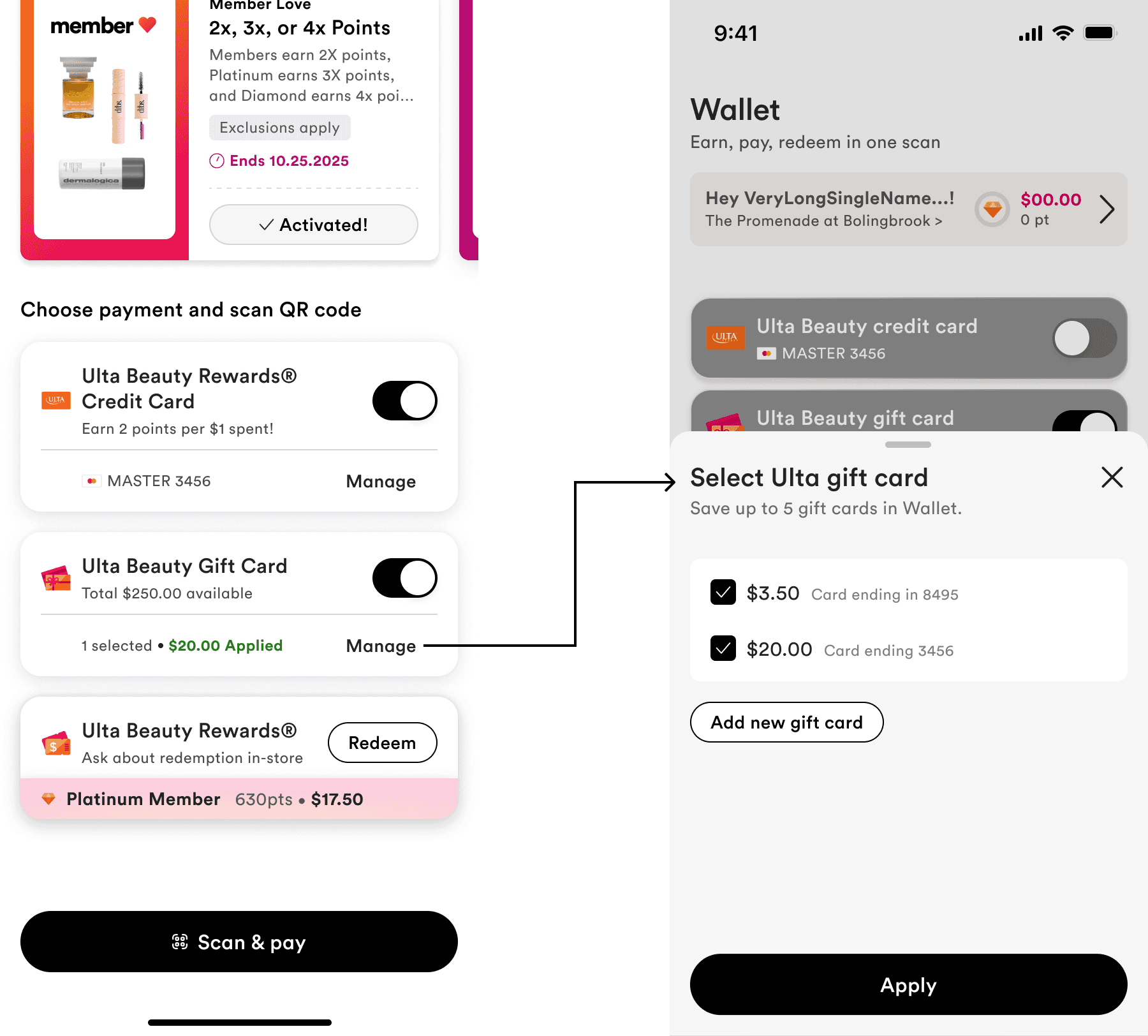
Design intent: Frictionless control in busy environment
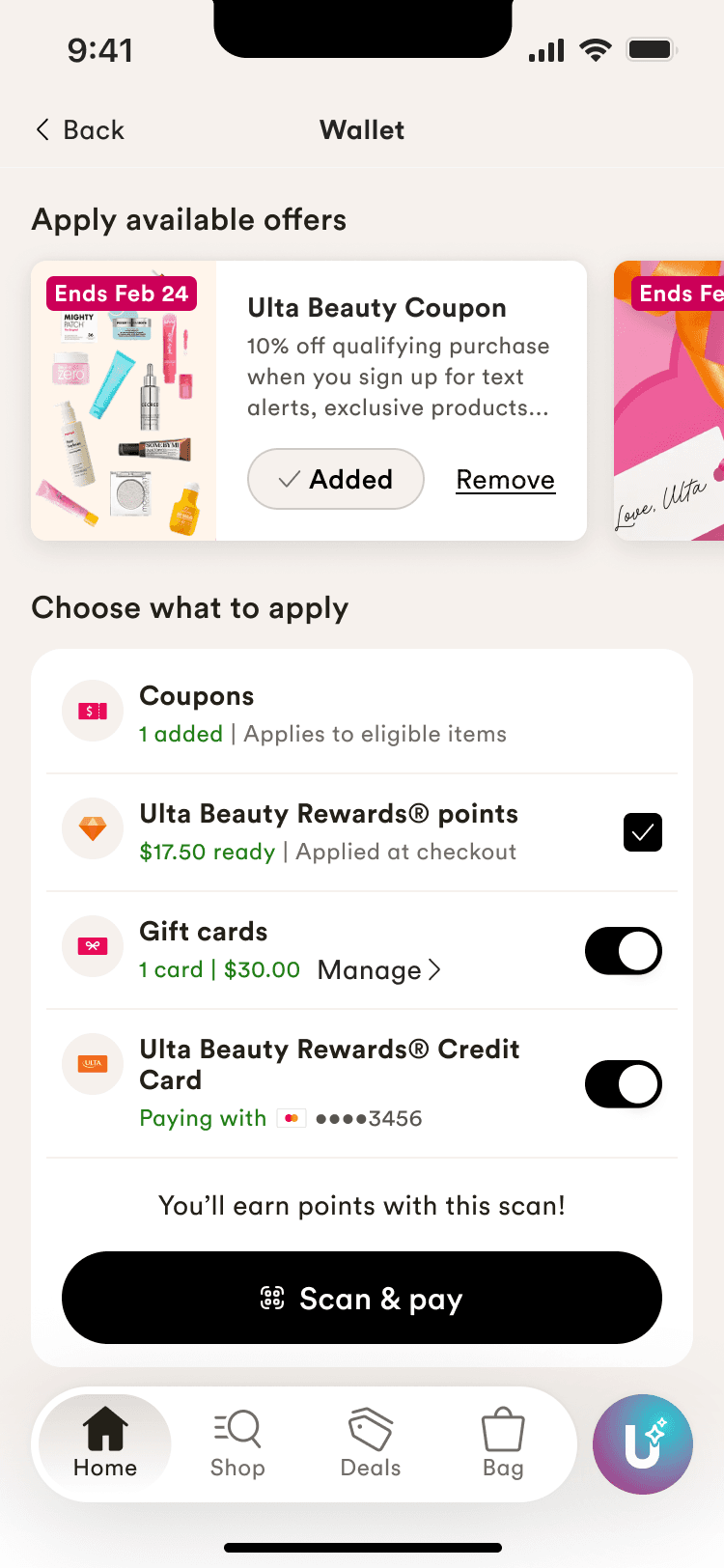
Placed essential controls like toggles and checkboxes directly on the wallet home so users can quickly enable rewards or payment methods while waiting in line.
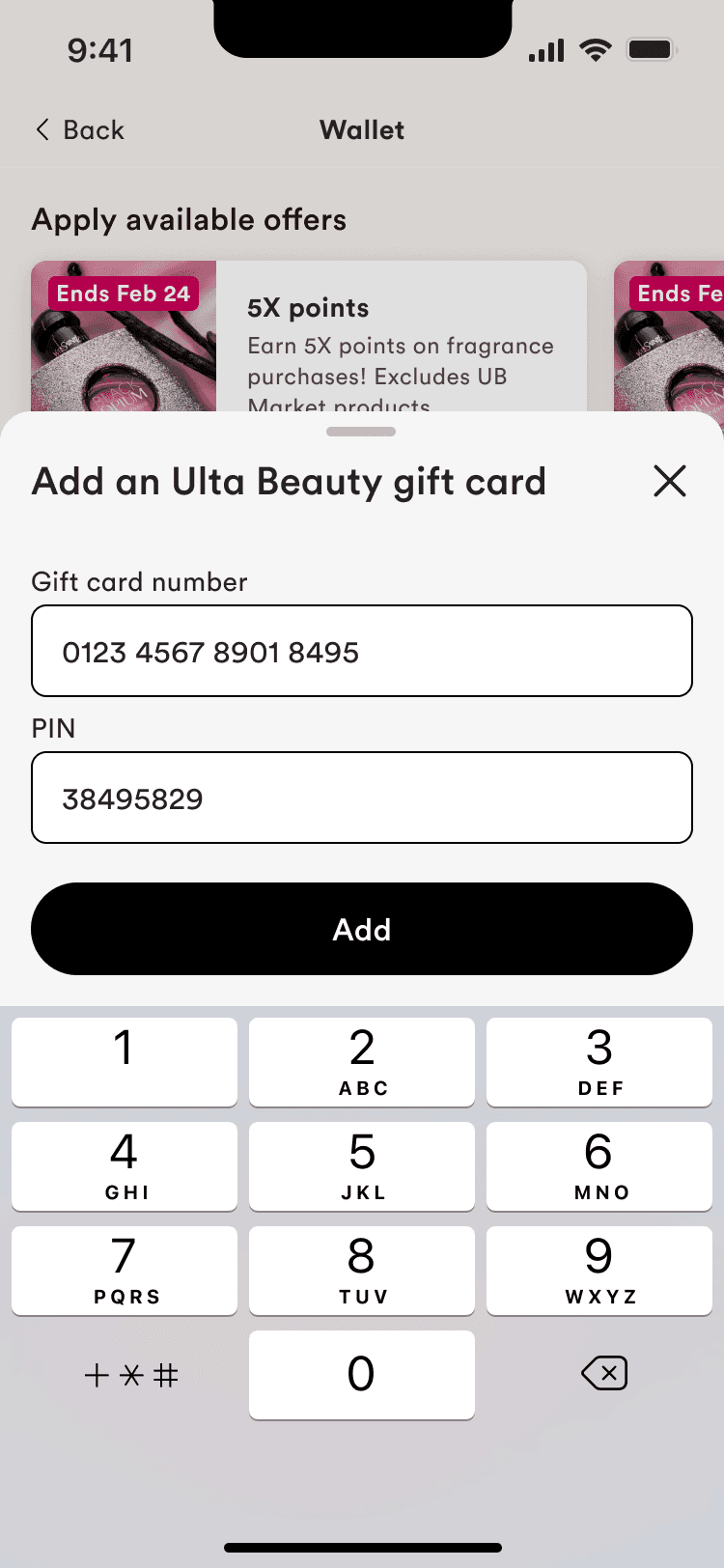
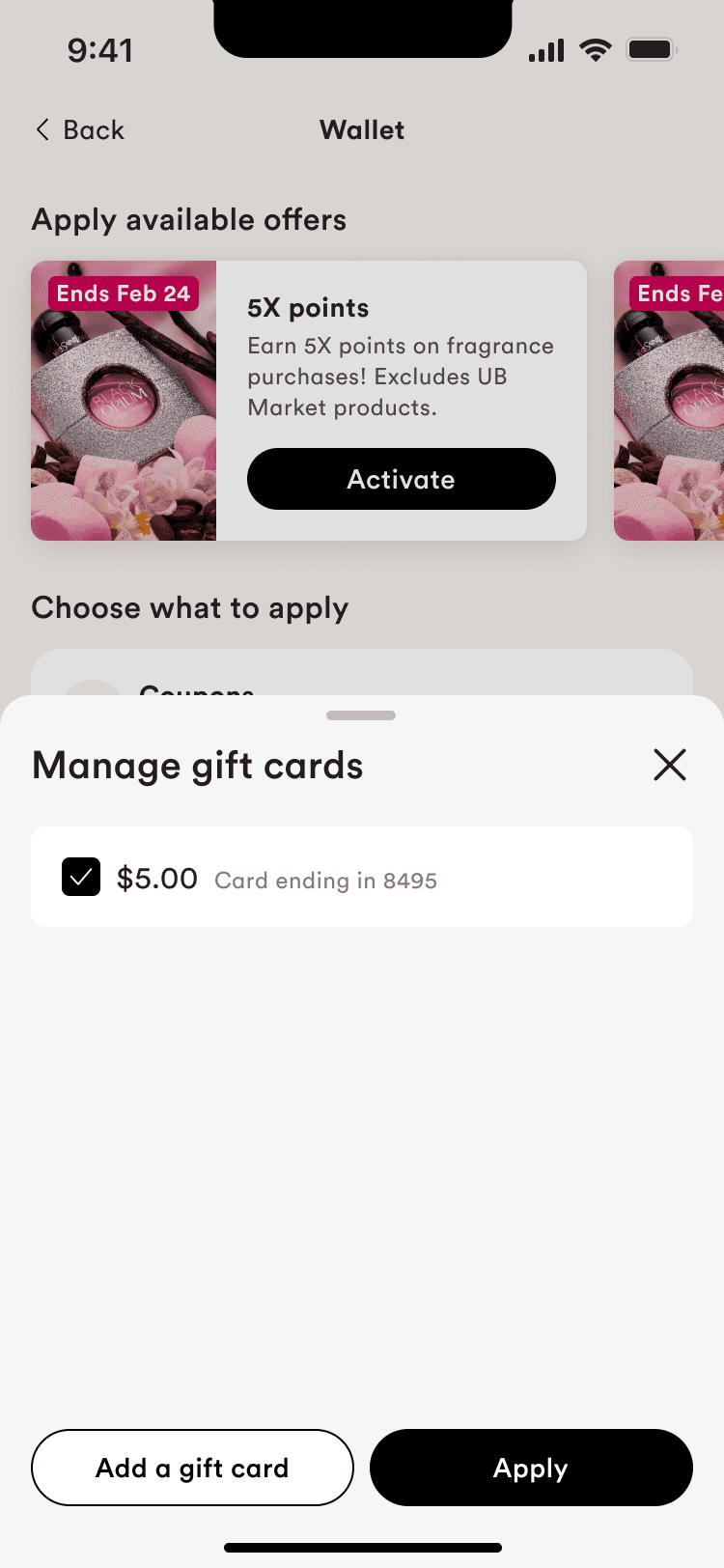
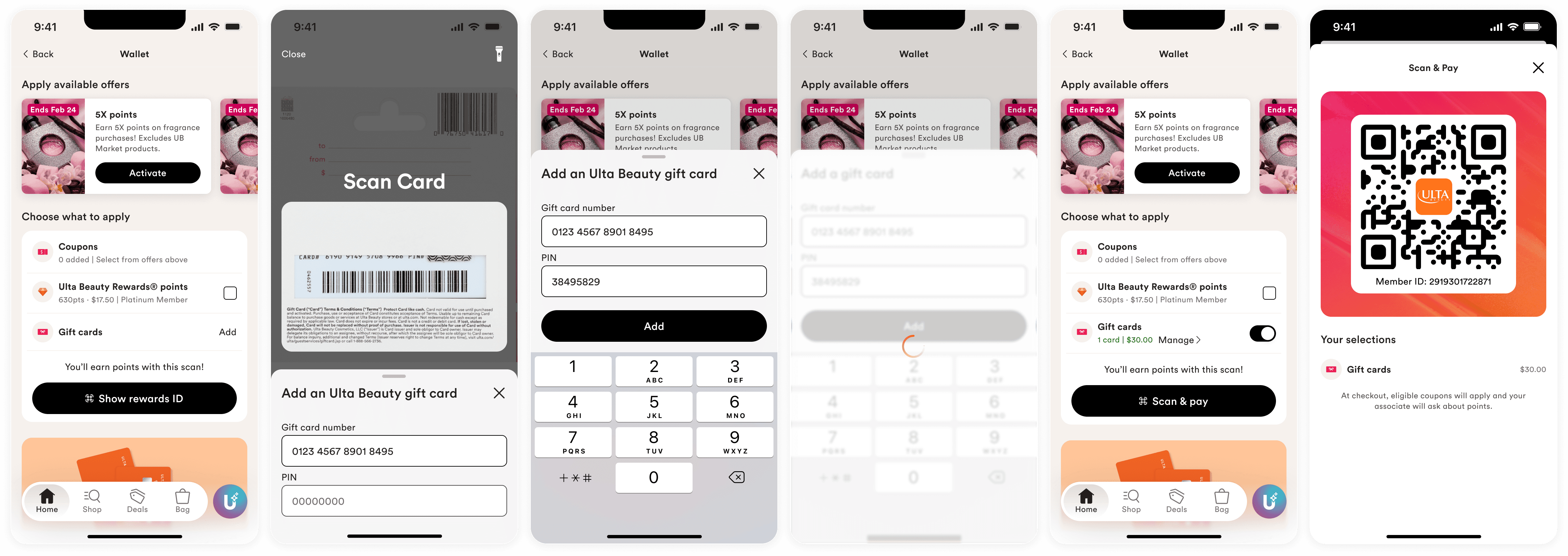
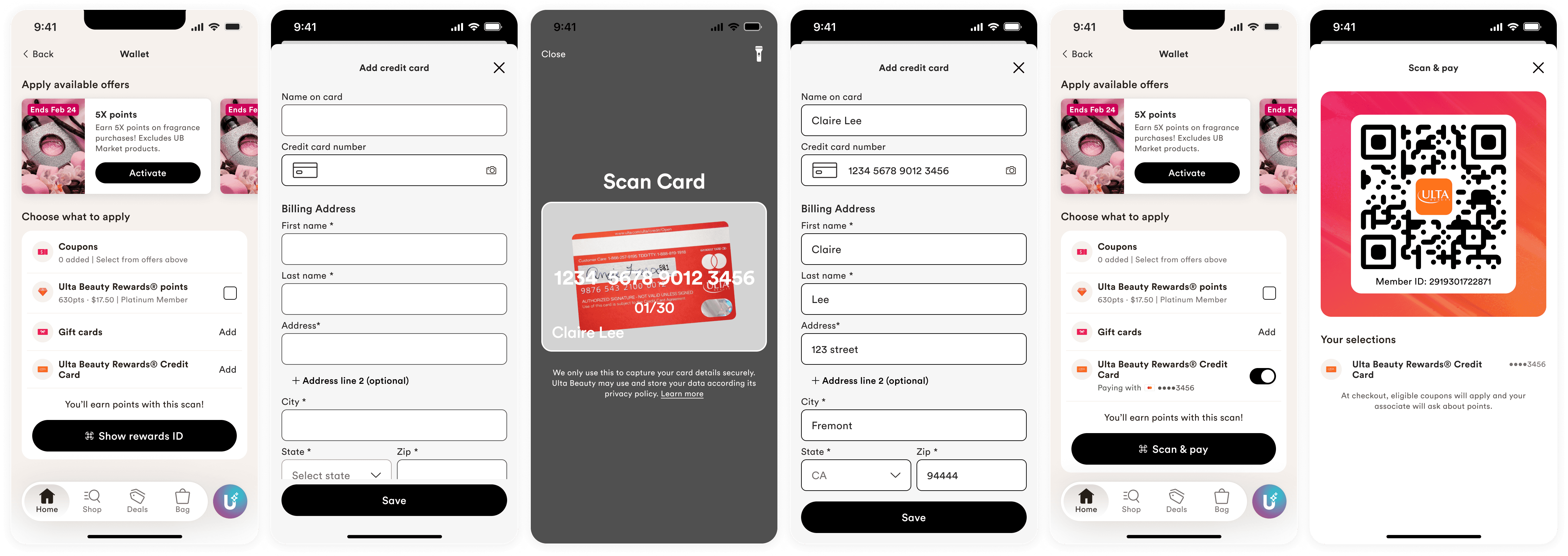
Moved actions such as adding or managing credit and gift cards into bottom sheets to keep the primary screen uncluttered.
Designed a simple interaction pattern where users toggle options to use them and open the sheet to add or edit details.
FIRST DESIGN TO TEST
During usability testing, most participants understood the purpose of the wallet but 73% of them did not immediately connect the “Show QR code” CTA with the offers and payment methods they had configured on the screen.
Many assumed the QR code was only for loyalty identification, rather than the mechanism that would also apply activated coupons and selected payment methods at checkout.
This revealed a gap between the system design and users’ mental model.
To address this, the next iteration focused on strengthening the relationship between wallet preparation (offers and payment selection) and the QR code interaction, so that users understood that scanning the code would transmit their rewards, discounts, and payment preferences in a single step.
DESIGN IMPROVEMENTS FROM TESTING
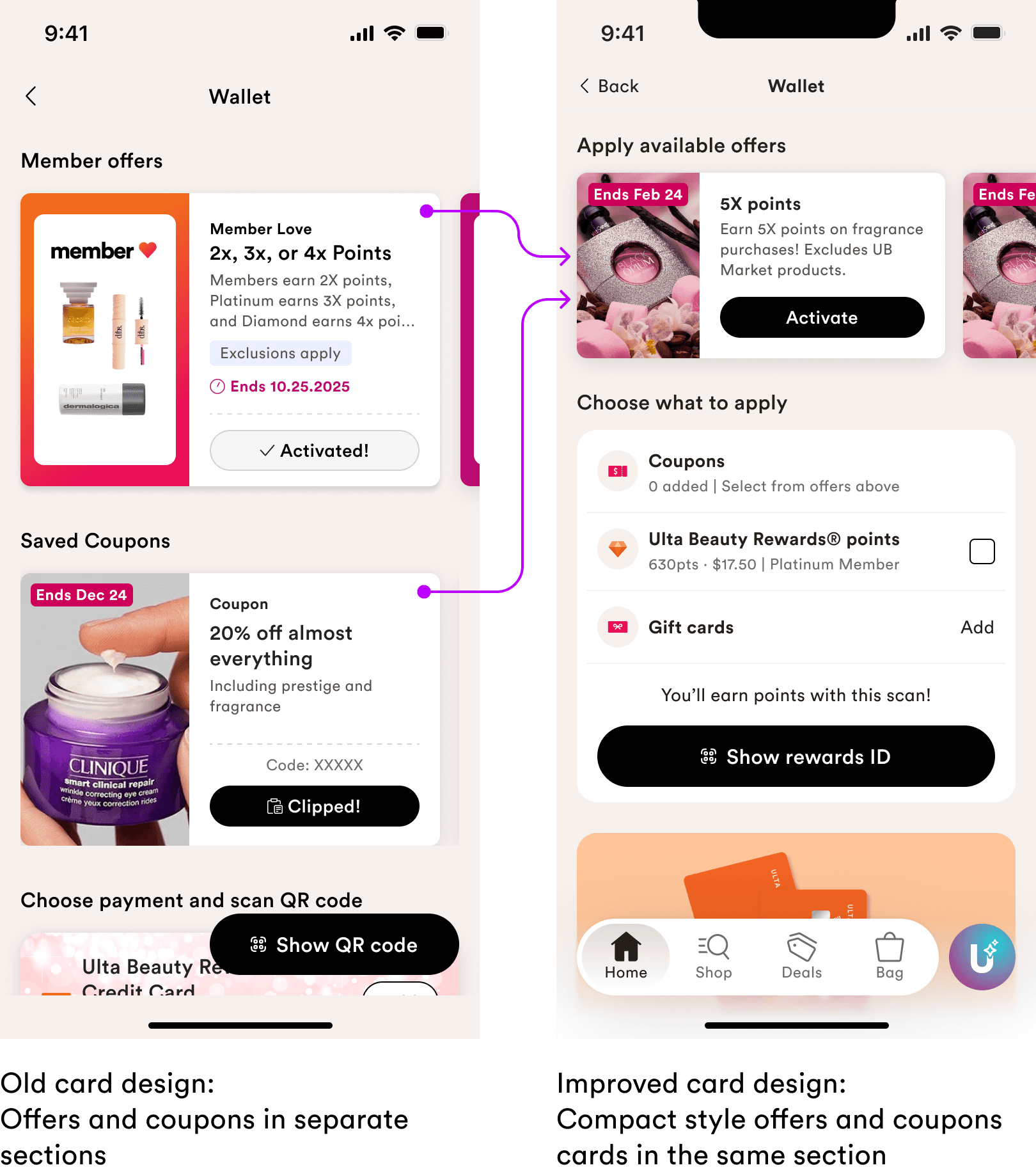
Aligning the Wallet with user's mental model
Unified discount for clarify
Usability testing show that participants did not distinguish between offers and coupons. While the system treated them as separate mechanics, users viewed both simply as discounts used at checkout.
I combined them into one section to make it easier to find and manage deals.Optimized layout to show all payments above fold
I designed a compact version of card for offers and coupons, which allowed the offers cards and the payments to fit within the viewport.
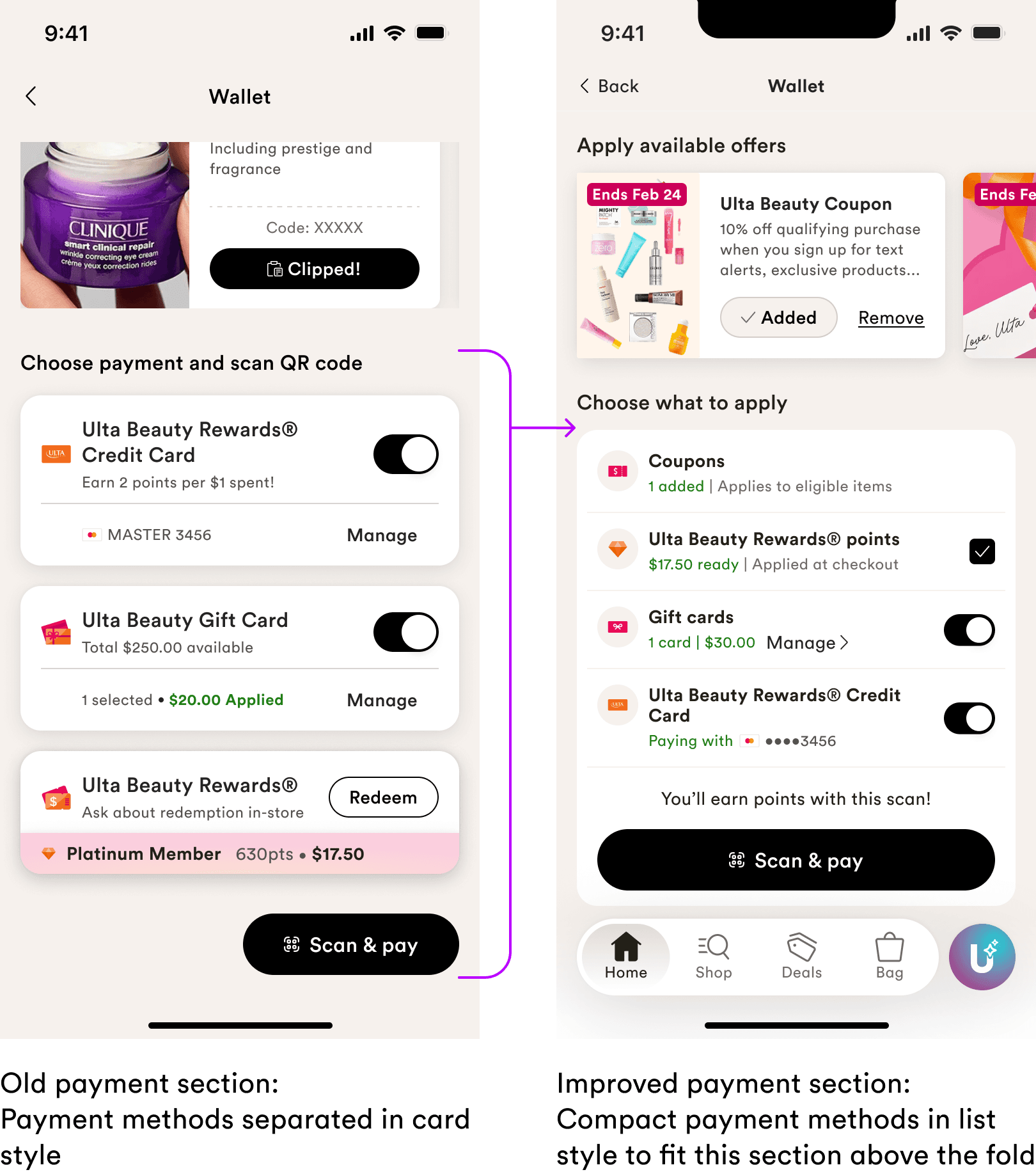
Clarifying the Scan & Pay action
Connecting the payment options and CTA
Testing showed users didn’t immediately link the Scan & Pay CTA with the payment methods because the button was fixed at the bottom while payments were within the scroll area. Moving the CTA into the payment section helped users understand that scanning would use their selected payment options.Improved visibility of payment options
I designed a compact version of the payment options so all methods appear above the fold to reduce scrolling.
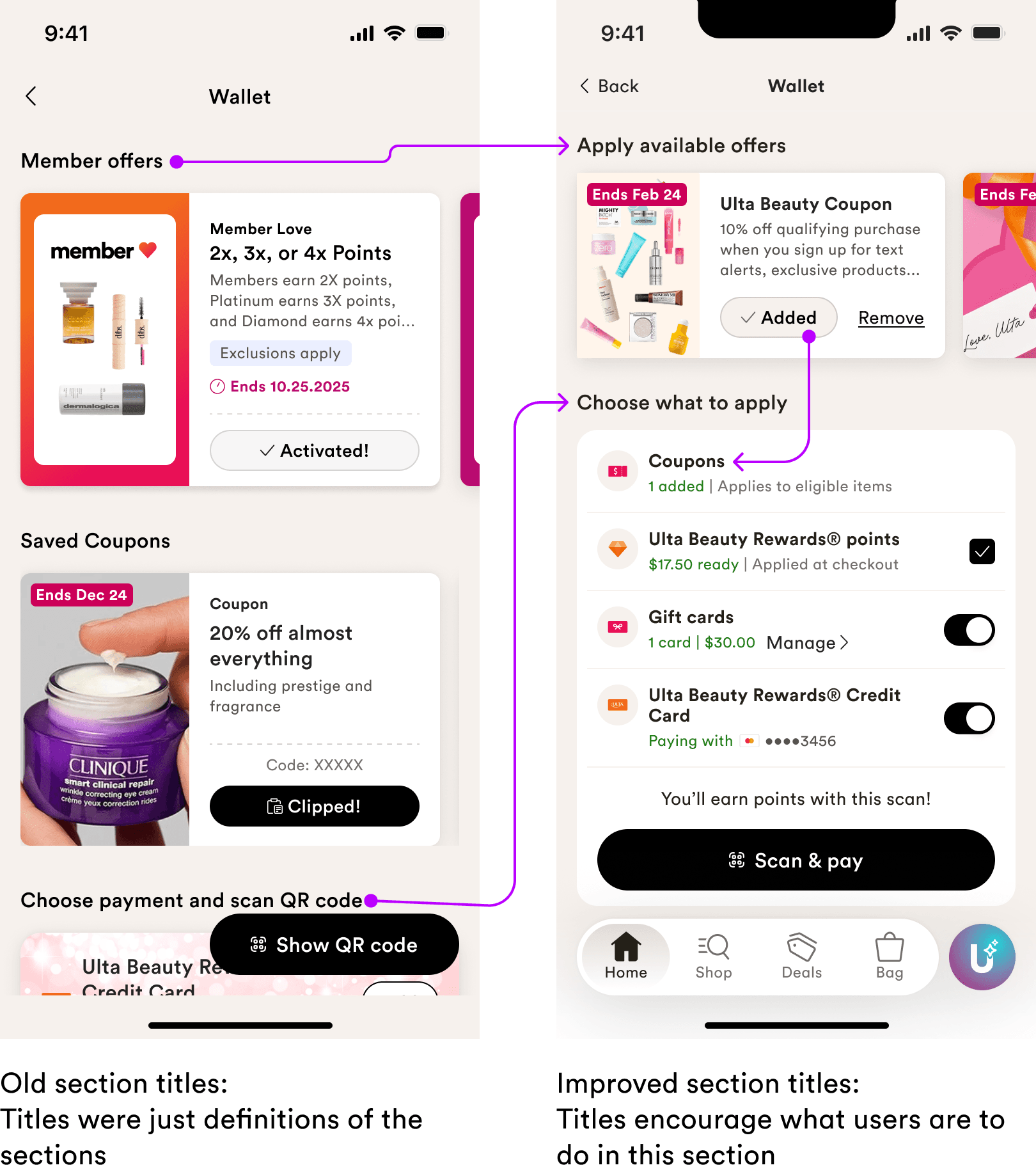
Action oriented copy and clear checkout connection
Changed section titles to be more action driven
I updated labels like "Member offers" and "Saved coupons" to start with verbs and nudged users on what they can do in each section and made the interface more actionable.Linked discounts to the payment flow
I included activated offers and saved coupons within the payment area to help users understand that these discounts will be included when generating the QR code for checkout.
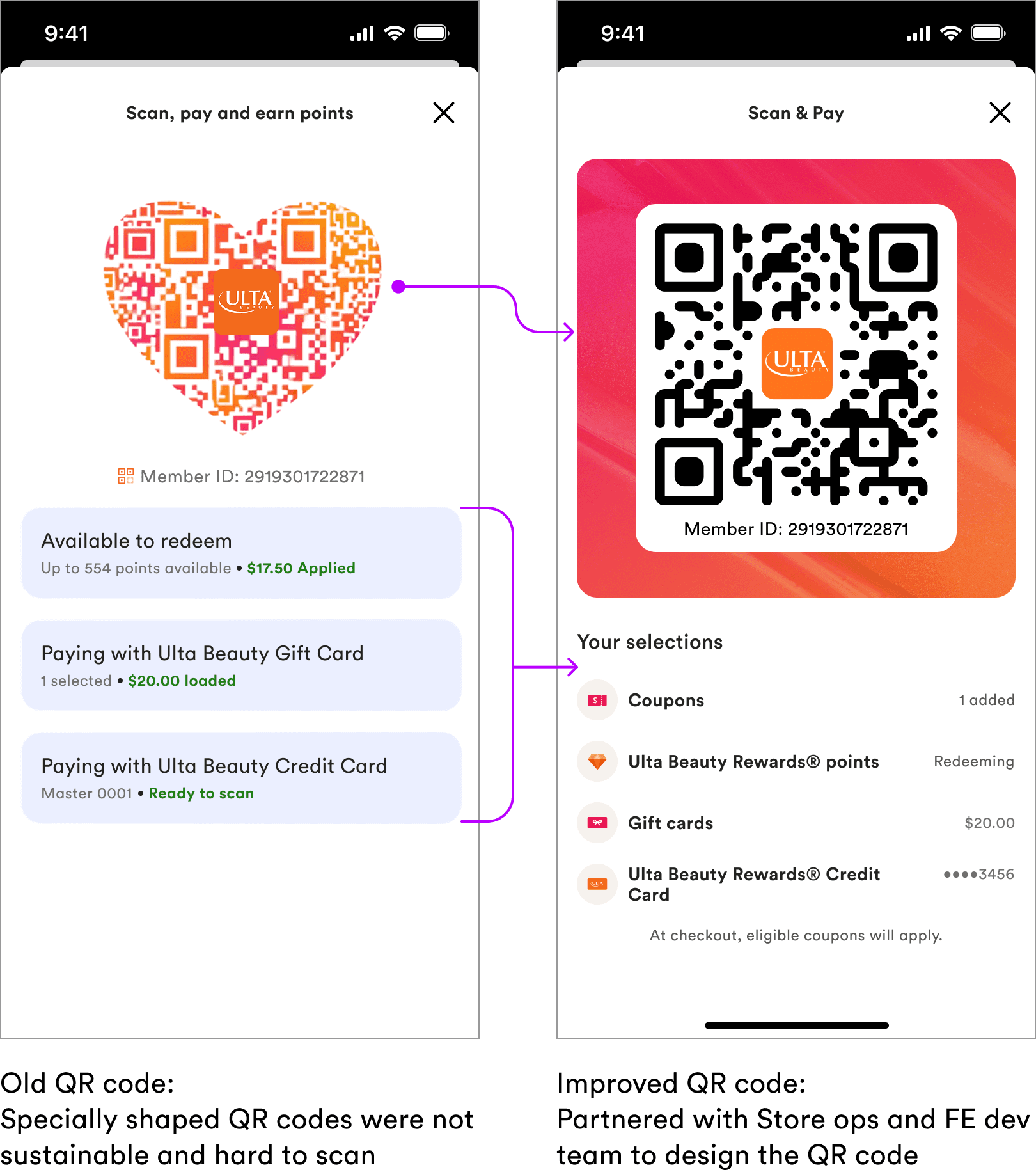
Cross team collaboration for scannability and efficient implementation
Optimized QR code for reliable scanning
I partnered with Store Ops and frontend engineers to design a square, black and white QR code with sufficient white padding so it could be scanned consistently by both store scanners and phone cameras.
Reused payment components to reduce development effort
The payment confirmation UI reuses the same components from the wallet’s payment section. This was to lower implementation complexity and dev effort.
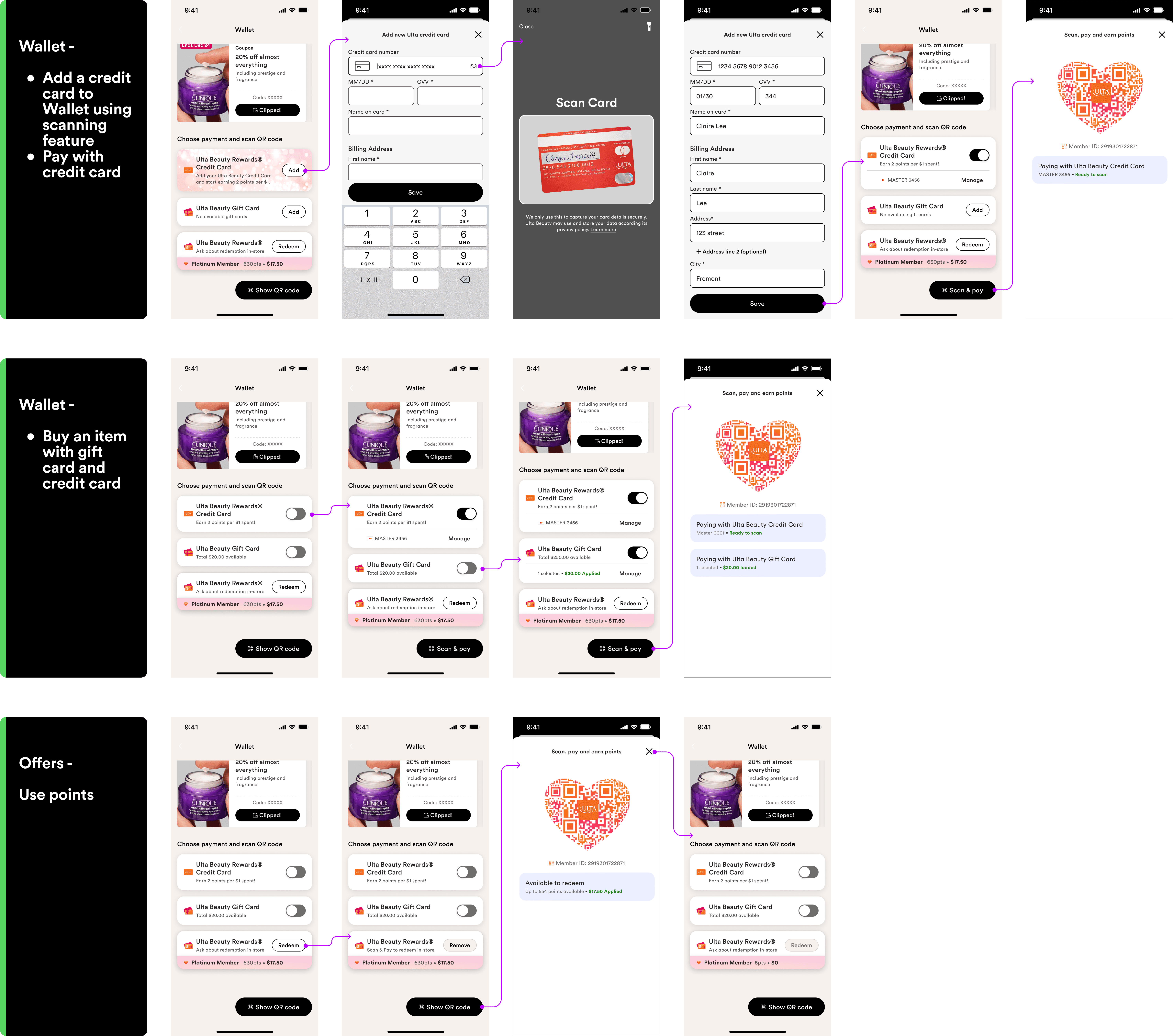
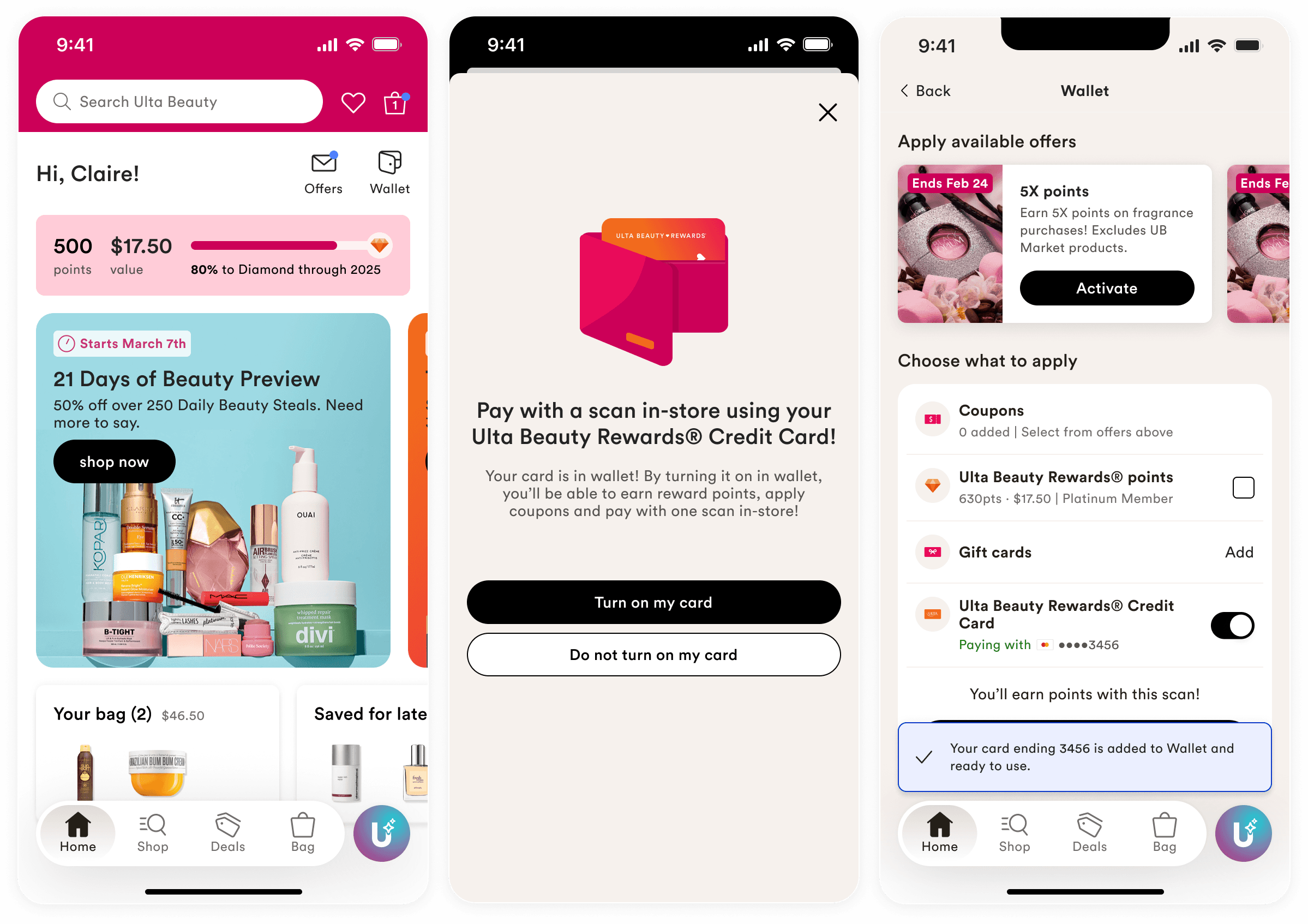
SCANNING WITH OR WITHOUT PAYMENTS
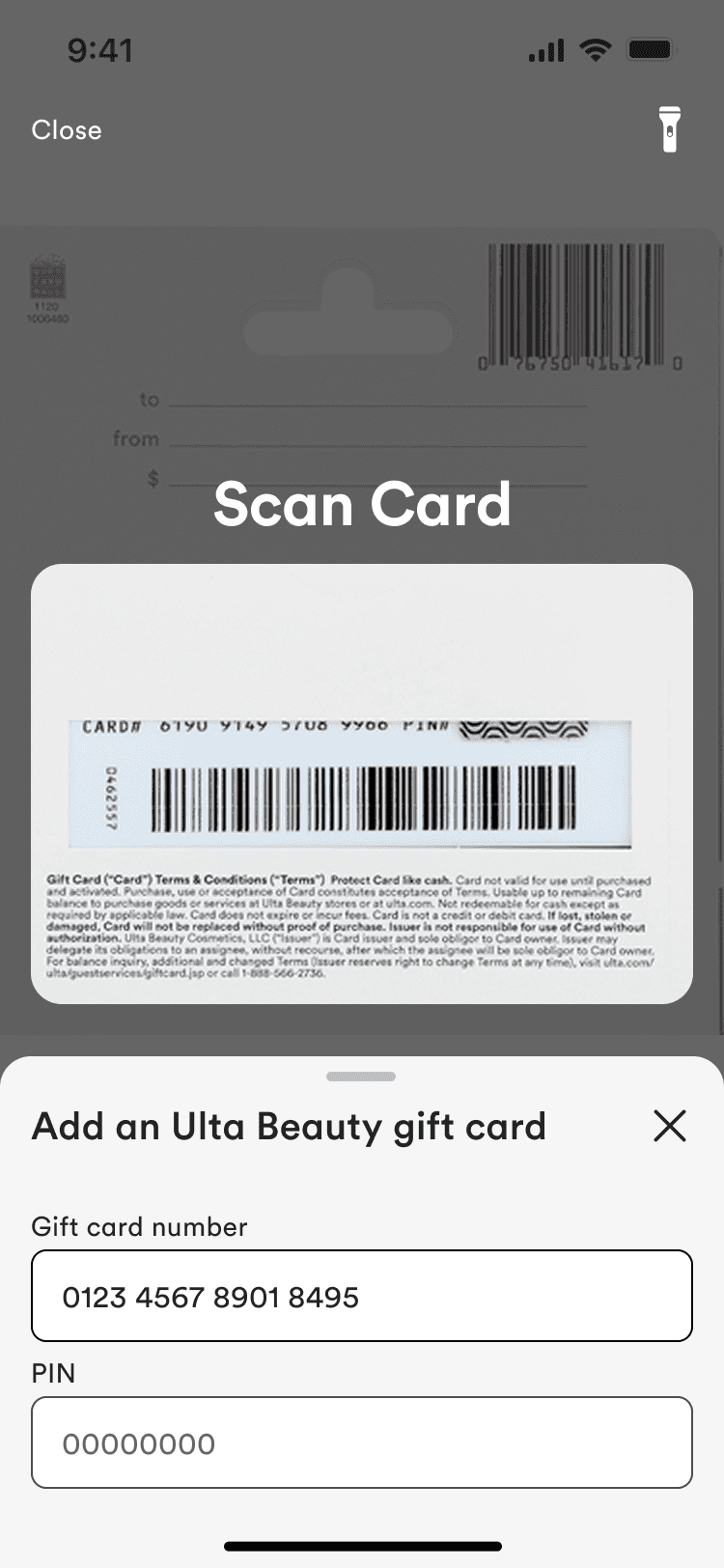
ADD GIFT CARD AND SCAN
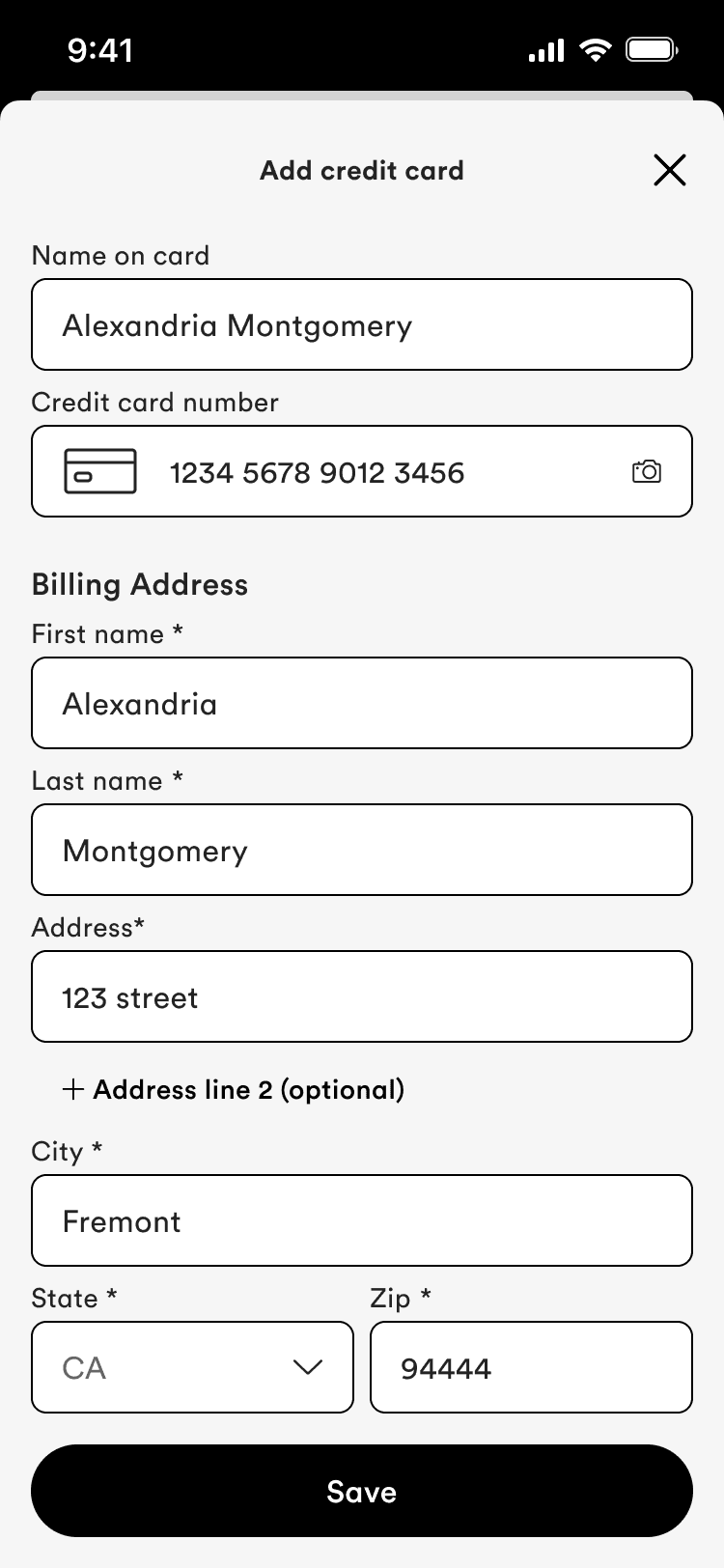
ADD CREDIT CARD AND SCAN
USER CONFIRMATION ON WALLET
NET NEW FEATURE
Digital Wallet was a net new feature within the Flagship app re-skin. I enjoyed navigating through the ambiguity, evolving requirements and creative problem solving it required which pushed me to think more strategically.
CROSS FUNCTIONAL COLLABORATION
As a net new feature, Wallet required close collaboration with Store Ops, Payments, and POS teams. I learned that a deep understanding of the in store flow is essential to creating a smooth checkout experience for customers.
UNDERSTANDING THE TECH
I worked closely with our dev team to understand how QR codes work behind the scenes, including security refresh requirements and what makes them reliably scannable by both store scanners and mobile cameras.
Good design is personal ☕️
© 2026 Claire M Lee. All Rights Reserved.